Skills are capabilities the agent can use beyond answering from knowledge. Today Owlish ships two skills, both focused on getting a human involved when the agent shouldn’t answer alone. More skills are on the roadmap.
Available skills
Human handoff
The agent can hand off to a human operator when:
- The visitor asks for one.
- The agent is uncertain or hits a topic outside its scope.
- An operator pulls the conversation manually from the Helpdesk inbox.
When handoff fires, the session moves to Helpdesk → Inbox under Awaiting handoff, the agent stops generating, and operators see it in their queue. Configure the trigger style under the agent’s Skills page.
See Human handoff for the operator side of the flow.
Email escalation
When the conversation should leave the chat surface entirely, the agent can forward the transcript to a support inbox by email. Useful for issues that need ticket-tracking, billing edge cases, or anything your team handles asynchronously.
Configure the destination email and trigger conditions on the agent’s Skills page.
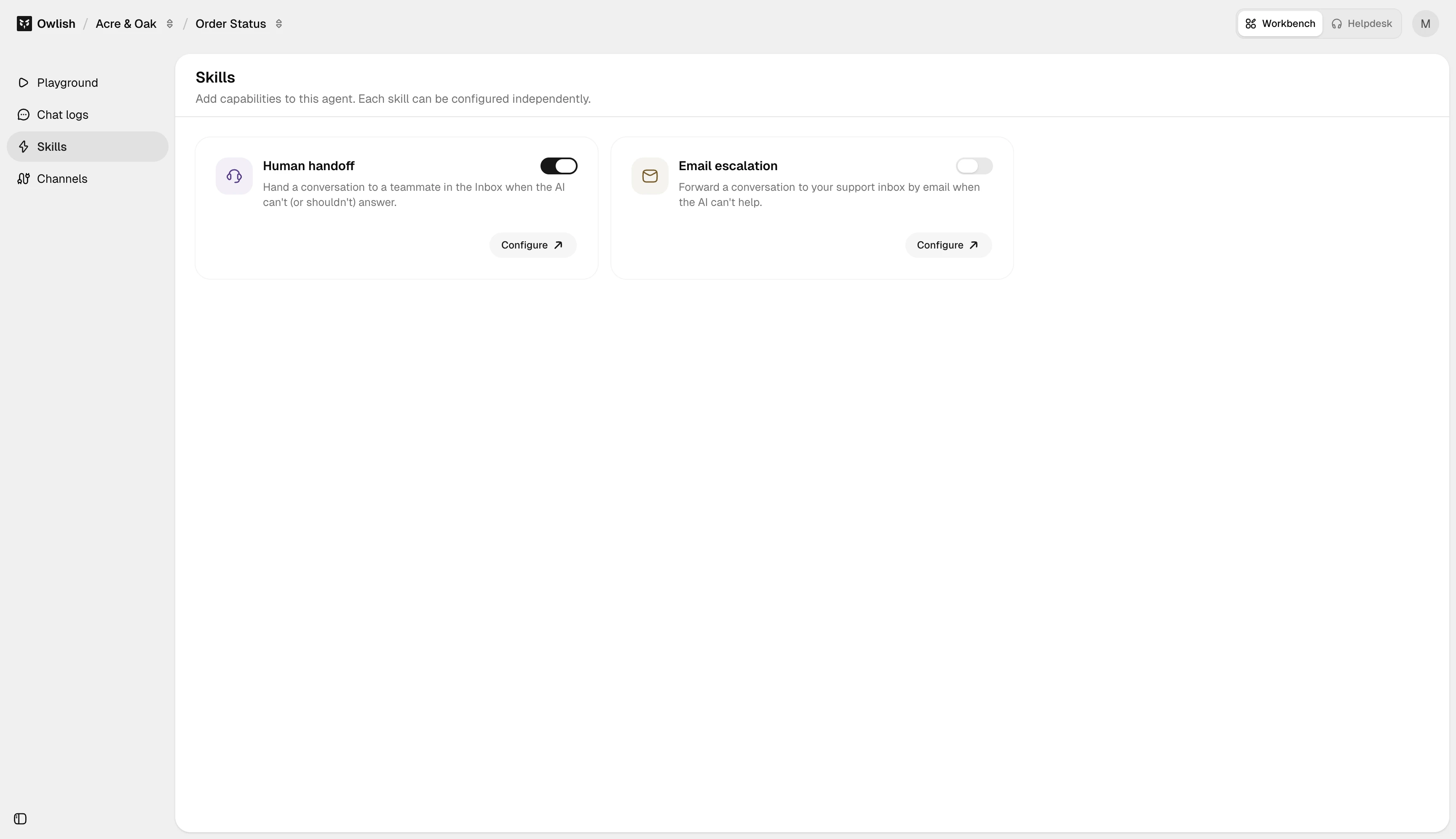
Enabling and tuning skills
Open the agent in the console, go to the Skills page, and toggle each skill on or off. Each has a small config form for triggers and (where applicable) destinations.
Skills are per-agent — turning on handoff for the support agent doesn’t affect the sales agent.
Coming later
Lead capture, web search, and a custom-actions framework are planned but not shipped yet. When they ship, they’ll live on the same Skills page.
Next steps
- Human handoff — the operator-side flow.
- Tone and fallbacks — pair handoff with a persona that knows when to invoke it.