Billing is a subpage of Settings in the console — /workbench/settings/billing. Everything related to plans, usage, payment, and invoices lives there.
Current plan & subscription
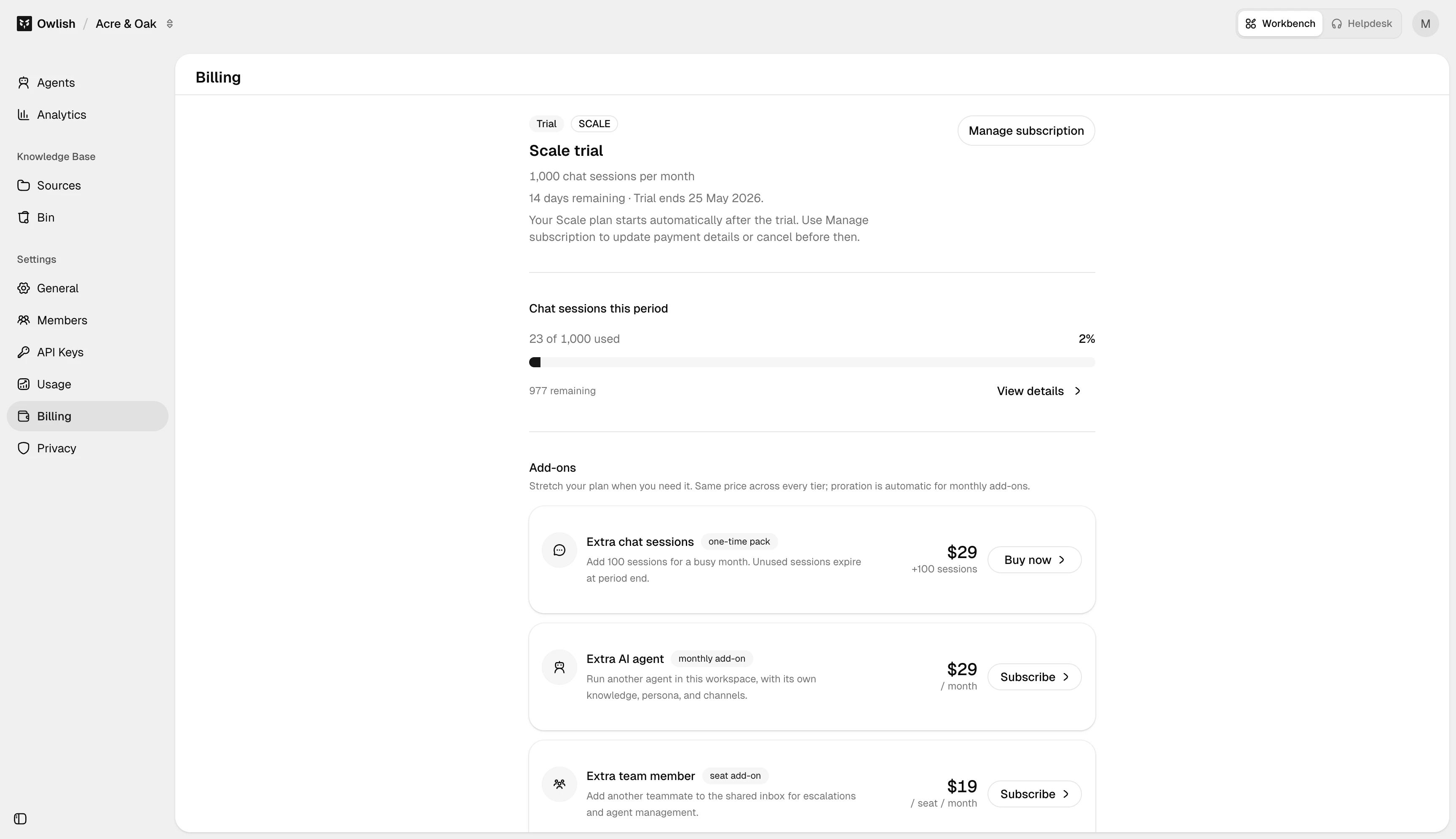
The top of the Billing page shows your active plan (Free / Starter / Growth / Scale), subscription status when you are on a paid plan, and renewal date when applicable. Each meter — chat sessions, KB storage, agents, members, team seats — has its own progress bar with the current value and the plan cap. When you hit a cap, the page surfaces an upgrade prompt next to the affected meter.
Change plan
Click Change plan to upgrade or change between paid tiers. Upgrades take effect immediately and are pro-rated; paid downgrades take effect at the next renewal. Paid workspaces cannot downgrade to Free from the plan picker; cancel the paid subscription in Stripe self-serve if you want the workspace to continue on Free limits after the paid period ends. If a downgrade would put you over the new tier’s caps (especially KB storage or member count), the dialog warns you so you can prune first.
Add-ons
If you need more of something specific without jumping a full tier, the Add-ons section offers individual upgrades — extra sessions, extra storage, extra seats. Add-ons are available on active paid plans only; they attach to your current paid plan and renew on the same cycle.
Annual vs monthly
The plan picker has an Annual / Monthly toggle. Annual is billed up-front with a meaningful effective discount; monthly is billed every 30 days. Switch from monthly to annual any time (we credit the unused portion). Annual to monthly takes effect at the end of the annual period.
Payment method
Update the card on file in the Payment section. Card data lives in Stripe; Owlish never stores PAN.
Invoices
Past invoices and receipts are listed at the bottom of the page. Click any invoice for the PDF. For tax-exempt or VAT-specific setups, contact support@owlish.bot.
Next steps
- Plans — what each tier includes.
- Settings — General — workspace-level config that doesn’t change with the plan.