The knowledge base is the agent’s memory. Anything you want the agent to ground answers in goes here. Owlish ingests it, splits it into chunks, embeds each chunk, and retrieves the most relevant ones at answer time. Retrieval is what makes citations possible — every answer points back to the chunk it came from.
What can become a source
Three kinds of sources cover almost every use case:
- Websites — point Owlish at a URL and it crawls the site (or just the pages you allow). Best for marketing sites, help centers, public docs.
- Files — upload PDFs, DOCX, TXT, CSV, or Markdown. Best for product manuals, internal handbooks, FAQ exports.
- Direct Response — paste a question and a canonical answer. Best for nuance the agent keeps getting wrong, or content that doesn’t live anywhere yet.
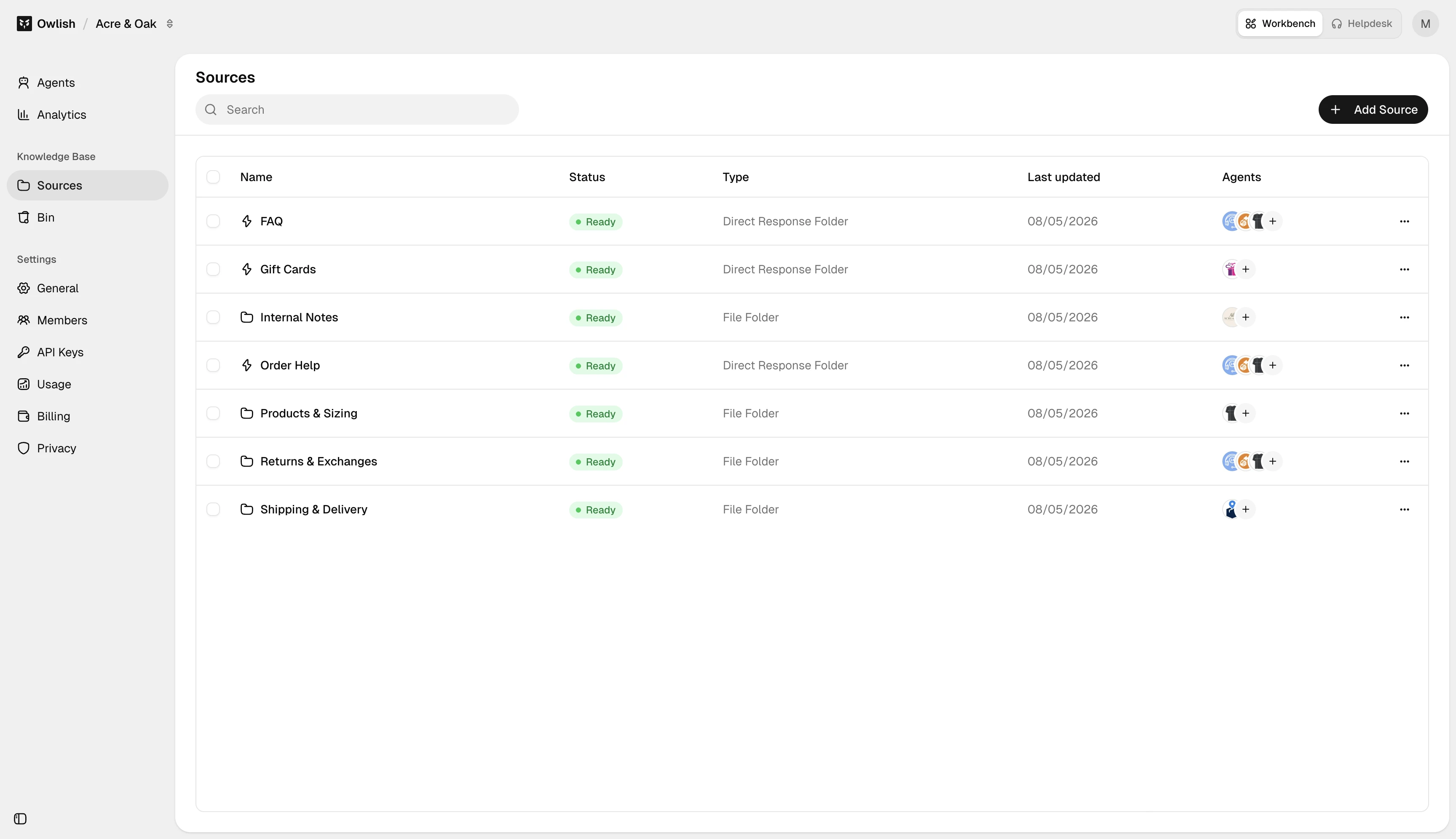
Folders
Sources live in folders. Folders are how you scope what an agent has access to: you can have a “Public help center” folder used by the customer-facing agent and an “Internal handbook” folder used only by the IT helpdesk agent. The same source can live in only one folder — move it if scope changes.
Plan limits
Each plan has a knowledge-base size cap: Starter 10 MB, Growth 20 MB, Scale 40 MB. The cap counts processed megabytes — text Owlish stored after extraction, not the raw file size you uploaded. A 200-page PDF is usually around 1 MB processed; a marketing site is often under 2 MB. See Plans for the table.
Re-training
You don’t “retrain” in the LLM sense — there’s no fine-tuning. When source content changes, you re-sync the source. Owlish re-crawls or re-ingests, replaces the chunks, and the agent is up-to-date on the next message. See Citations & re-training.
Next steps
- Add a website — the most common starting source.
- Add files for PDFs and structured documents.
- Direct Response — when the answer isn’t anywhere yet, write it directly.