Websites are usually the first knowledge source you add. Owlish discovers pages via the site’s sitemap (or by following links if there’s no sitemap) and ingests each page’s main content — body copy, headings, lists. Boilerplate like nav and footer is stripped automatically.
Add a website
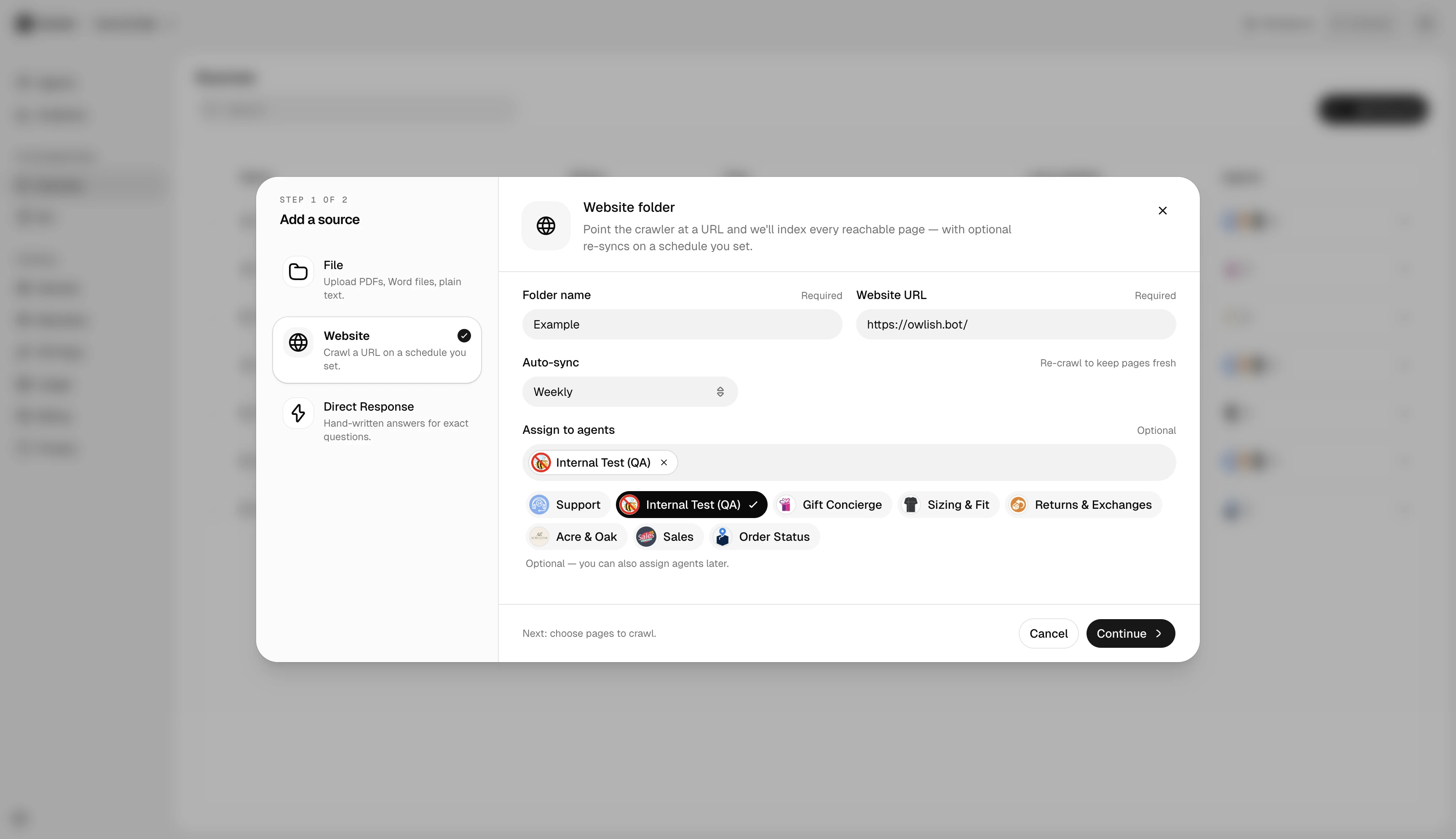
In a folder, click Add source → Website. Paste the URL and pick crawl options:
- Allow / exclude patterns — for example, allow
/blog/*but exclude/blog/legacy/*. - Max pages — caps the crawl. Default is sane for most sites; raise it for large docs sites.
- Re-sync schedule — daily, weekly, monthly, or manual.
What gets ingested
Owlish extracts the main content from each page using a content-aware parser. JavaScript-rendered pages are handled — there’s no need to provide an alternate URL. If a page has structured data (FAQ schema, How-To schema), that’s preserved as a clean Q&A pair.
What doesn’t
- Pages behind a login.
- PDFs linked from the site (upload them as files instead).
- Pages explicitly excluded by
robots.txtfor the Owlish crawler.
Re-sync
Owlish re-crawls website sources on the schedule you picked at creation (daily, weekly, or monthly). Each re-sync only re-ingests pages whose content hash has changed — an unchanged site finishes in seconds, a churning site takes a few minutes. The first crawl of a large new site is the slowest run; subsequent re-syncs are usually fast.
Next steps
- Citations & re-training — verify the agent is actually pulling from the new content.
- Files for PDFs and documents.