How to Reduce Customer Support Costs With AI (2026 Cost Playbook)
AI cuts support costs by removing humans from the answers that don't need them — but only if you measure cost per resolution, not deflection percentage. This playbook covers what support actually costs, where AI saves money and where it quietly adds it, a spreadsheet model you can run today, and the per-resolution pricing trap that punishes you for succeeding.
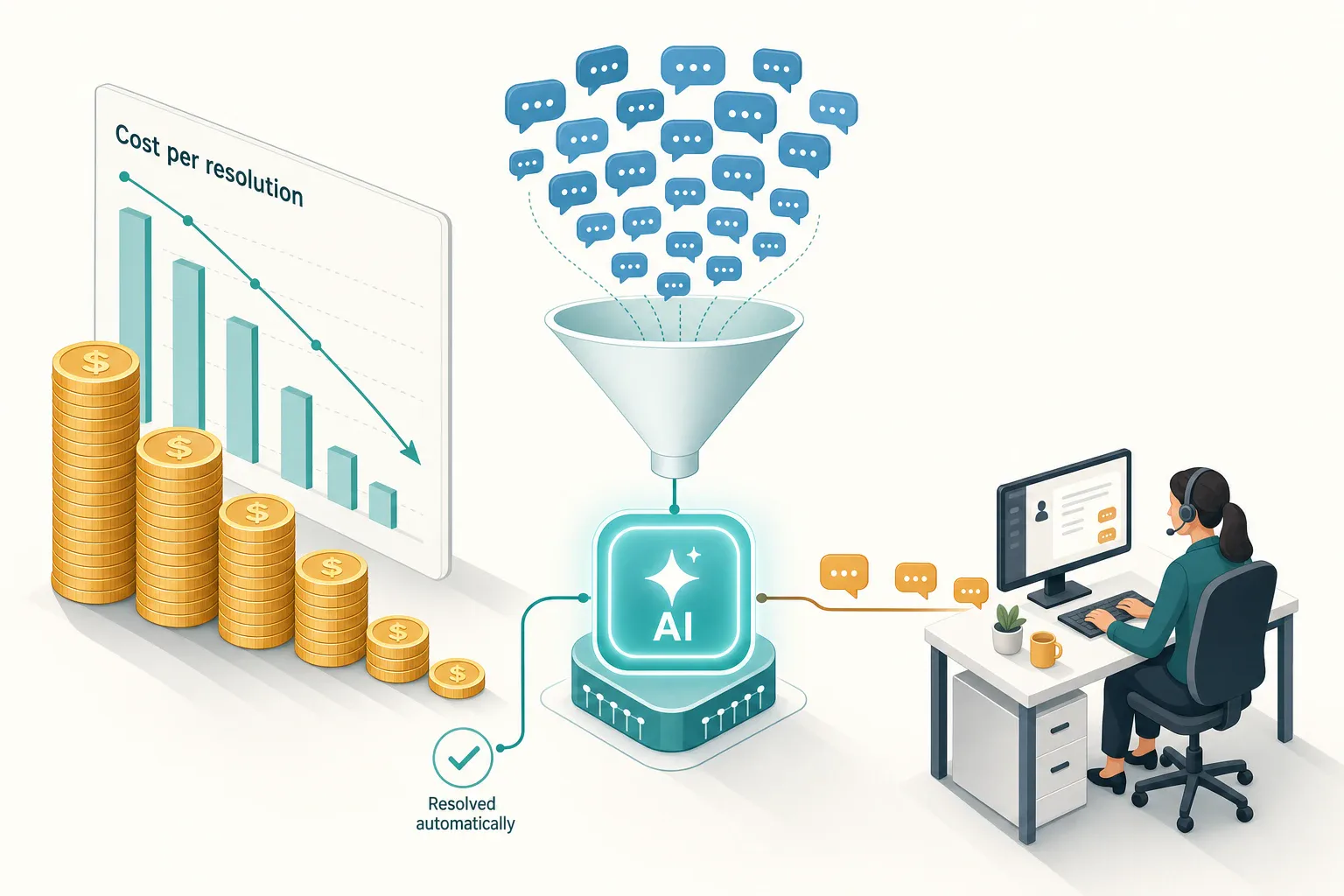
The fastest way to cut support costs is not to make agents type faster — it is to stop paying a human to answer the questions that have a known answer. AI does that well, but it only saves money if you measure the right number, watch for the new costs it introduces, and resist a pricing model that charges you more every time it works.
This playbook covers what customer support actually costs today, exactly where AI removes cost and where it quietly adds it, a cost model you can run in a spreadsheet this afternoon, and the failure modes that turn “we deployed AI” into a bigger bill with the same backlog.
The only cost number that matters: cost per resolution
Most support cost conversations start with the wrong metric. Headcount, license seats, and ticket volume all matter, but the number that tells you whether AI is paying for itself is cost per resolution: the fully loaded cost of actually solving one customer’s problem.
Cost per resolution = (agent salaries + tooling + overhead) ÷ number of issues genuinely resolved
Two words in that formula do the work.
Fully loaded means more than wages. It includes benefits, management, QA, tooling licenses, and the cost of training and ramp. A common shortcut is to take total support spend for a month and divide by resolved contacts — crude, but more honest than counting only salaries.
Genuinely resolved means the customer’s problem went away and they did not come back about the same thing. A “resolution” that produces a follow-up ticket two hours later is not a resolution; it is two contacts you paid for. This distinction is where most AI cost claims fall apart, and we will come back to it.
If you optimize anything other than cost per resolution, you can make the dashboard look better while the bill stays flat. The classic example is deflection rate — covered in detail in our ticket deflection benchmark guide — which can be inflated by counting people who gave up and left.
What customer support actually costs today
You cannot judge AI savings without a baseline, and the baseline varies enormously by channel and complexity. Cost per contact is consistently driven by two things: how long an interaction takes, and whether it needs a person at all.
| Contact type | Relative cost | Why |
|---|---|---|
| Self-service / automated | Lowest | No agent time per contact |
| Email / chat (assisted) | Mid | Agents handle several at once |
| Phone (assisted) | Highest | One agent, one customer, in real time |
Published benchmarks put the blended average cost per contact in the rough range of a few dollars to well over ten, with phone the most expensive channel and self-service the cheapest by a wide margin (LiveAgent cost-per-contact glossary). SaaS and B2B support, where issues are technical and slow to resolve, sit well above retail and ecommerce.
The number you should use is your own. Take last month’s total support spend, divide by the number of issues you actually resolved, and that is your baseline cost per resolution. Every AI decision gets measured against it.
Where AI actually reduces cost
AI lowers support cost in four specific places. Notice that all four are about volume and time, not about replacing judgment.
1. It removes humans from repetitive, answerable questions. A large share of inbound is the same handful of intents: order status, password resets, “do you integrate with X,” returns policy, hours. A grounded AI agent answers these in seconds, at any hour, without a person in the loop. This is the single biggest lever, and it is exactly the work Gartner expects AI to take over — the firm predicts agentic AI will autonomously resolve 80% of common customer service issues by 2029, with a 30% reduction in operational costs (Gartner, March 2025).
2. It covers hours you would otherwise pay overtime or lose entirely. Overnight and weekend coverage is expensive to staff and cheap to automate for the answerable tier. You stop paying a premium for a skeleton shift to answer questions a bot can handle, and you stop losing customers who churn while waiting. (See our 24/7 AI support playbook for how to do this without breaking trust at 3 a.m.)
3. It shortens the contacts humans still handle. Even when a person takes over, an AI that drafts replies, summarizes the conversation, and surfaces the right source cuts handle time. Lower handle time means each agent resolves more per shift, so you scale volume without scaling headcount linearly.
4. It absorbs spikes without temp hiring. Product launches, outages, and seasonal peaks normally mean overtime or contractors. An AI front line absorbs the answerable share of a spike at near-zero marginal cost, so you staff for the complex baseline instead of the peak.
Where AI quietly adds cost
This is the half most cost guides skip. AI is not free, and several of its costs are invisible until they show up in a follow-up ticket or an annual renewal.
The cost of a wrong answer. This is the big one. A confidently wrong answer does not just fail to resolve — it actively generates cost: a refund you should not have issued, a re-contact (“that didn’t work”), or a churned customer. You can pay twice for one bad reply. This is why grounding matters more than fluency: an agent that answers only from your verified content, cites its source, and refuses when it does not know is the difference between AI that saves money and AI that creates expensive cleanup. We make the full case in why grounded answers matter.
Content upkeep. An AI agent is only as cheap as its knowledge base is current. Stale sources produce wrong answers, which produce re-contacts. Someone has to own refreshing docs, and that is a real (if small) recurring cost. Budget for it rather than discovering it.
Setup, integration, and maintenance. Connecting the agent to your channels, wiring up any actions it can take, and monitoring its answers is work. For a no-code website agent this is hours, not months — but it is not zero, and enterprise platforms can turn it into a project.
The “we still need people” reality. Complex, emotional, and high-stakes issues still need a human, and customers still want one for them. The savings come from the answerable tier, not from emptying the floor. Gartner’s own follow-up is a useful cold shower: it predicts more than 40% of agentic AI projects will be canceled by the end of 2027 over escalating costs and unclear value (Gartner, June 2025). The projects that fail tend to be the ones that promised to replace the whole team.
A cost model you can run in a spreadsheet
Here is a worked example you can copy. The numbers are illustrative — replace them with yours.
Start with the baseline:
- Monthly contacts: 2,000
- Fully loaded cost per assisted contact: $6
- Current monthly cost: 2,000 × $6 = $12,000
Now add an AI front line that honestly resolves 45% of contacts (resolved, not abandoned):
- AI-resolved: 900 contacts
- Still handled by humans: 1,100 contacts
- New human cost: 1,100 × $6 = $6,600
Then subtract the AI’s own cost, and this is where the pricing model decides the outcome:
- Flat-subscription tool (say a fixed plan around a few hundred dollars a month): total = $6,600 + ~$400 = ~$7,000/mo → saving ~$5,000/mo.
- Per-resolution tool at $0.99 per AI resolution: 900 × $0.99 = $891, total = $6,600 + $891 = ~$7,491/mo → saving ~$4,500/mo.
Both save money. But watch what happens as you succeed: push AI resolution from 900 to 1,500 a month and the flat tool’s cost barely moves, while the per-resolution tool now bills $1,485 — and keeps climbing every time the agent does its job better. That is not a rounding error; it is a structural difference in how the two models scale.
Two adjustments make this model honest:
- Discount for wrong answers. If 10% of “AI resolutions” generate a re-contact, they were not resolutions. Multiply your AI-resolved count by your verified-resolution rate before claiming the saving.
- Add content upkeep. Pencil in a few hours a month of someone’s time to keep sources current. Small, but real.
The pricing trap: paying more as AI gets better
The model above exposes a trap worth naming. Several leading AI support tools charge per resolution — Intercom’s Fin agent, for example, bills $0.99 for each conversation it resolves, on top of seat costs (Intercom pricing). Outcome-based pricing sounds fair: you pay for results. But it has a built-in tension — your software bill rises in lockstep with your success. The better your knowledge base gets and the more you deflect, the more you pay. At high volume, a tool that fixed more problems can cost more than the headcount it replaced.
This is not an argument against any one vendor; per-resolution pricing can be the cheaper option at low volume or when you are testing. It is an argument for doing the math at your volume and projected growth, not at today’s. Map two or three scenarios — current volume, double volume, and high-deflection — and see where each pricing model lands. A flat or capacity-based plan trades some low-volume efficiency for predictability and an upside that is yours to keep. Our guide to comparing AI support pricing walks through the units — seats, resolutions, credits, capacity — in detail.
Five moves that lower cost without lowering quality
- Automate the answerable tier first, not everything. Identify your top 10–15 repetitive intents and let AI own them end to end. Leave the rest to humans until you trust the agent. This captures most of the savings with the least risk. (See support ticket automation: what to automate first.)
- Ground every answer and require citations. An agent that answers from your verified content and shows its source is cheap to trust and cheap to audit. An agent that improvises is expensive to clean up after.
- Make handoff fast and contextful. The cheapest escalation is one where the human gets the full conversation, the customer’s intent, and the relevant source — so they resolve in one touch instead of re-asking. A clean handoff protects CSAT and keeps handle time down. (See AI support handoff: when bots should escalate.)
- Keep the knowledge base current. Schedule a recurring refresh of your top sources. The cost of upkeep is far lower than the cost of the re-contacts that stale answers generate.
- Pick a pricing model that does not punish growth. Run the spreadsheet at your projected volume before you sign. The “cheapest” tool today can be the most expensive one a year from now.
How to measure real savings, not vanity savings
If you only take one thing from this post: report savings in cost per resolution, and discount it for quality. The vanity version looks like this — “AI handled 60% of conversations, so we cut costs 60%.” The honest version asks three questions:
- Were they resolved, or did people give up? Strip abandons and timeouts out of the numerator.
- Did they stay resolved? Subtract anything that produced a re-contact within a few days.
- What did the AI itself cost? Subscription or per-resolution fees, plus content upkeep, plus monitoring time.
Track cost per resolution before and after, alongside CSAT and first response time, so a falling cost number that is dragging quality down gets caught early. A cheaper number with a worse experience is not a win — it is deferred churn. Our post-launch metrics scorecard lays out the full set.
Where Owlish fits
Owlish is a no-code AI customer support platform built around the parts of this playbook that protect both cost and quality: answers are grounded in your own content (website, documents, PDFs), every answer can cite its source so it is auditable, and the agent hands off to a human with full context when it should not answer. That combination is what keeps the cost of wrong answers low — the line item most likely to erase your savings.
On pricing, Owlish is deliberately not metered per resolution. Plans are flat with a monthly chat-session and knowledge-base capacity allowance, so your bill is predictable and you keep the upside as your agent deflects more: Free ($0) to try it on one web workspace, Starter at $49/mo monthly or $39/mo billed annually (save ~20%), Growth at $149/mo monthly or $119/mo billed annually, and Scale at $449/mo monthly or $359/mo billed annually. The web widget is included on every tier; Slack, Microsoft Teams, and Google Chat are available from Growth up. See the pricing page for the current allowances.
Owlish is a strong fit if you are a small or growing team that wants to deflect the answerable tier safely and predictably. It is not the right tool if you need a full enterprise contact-center suite with voice, workforce management, and deep CRM-native automation — for that, a platform like a major helpdesk suite will fit better, and you should choose on total cost of ownership, not sticker price.
FAQ
How much can AI realistically cut support costs? For the repetitive, answerable tier, a lot — that is where the headline figures come from. Across the whole operation, the honest range is more modest because complex issues still need people. Gartner’s projection of roughly 30% operational cost reduction by 2029 is a reasonable planning anchor; treat any vendor claim of 60–80% total savings as marketing unless it is measured in verified cost per resolution.
Does AI replace support agents? For tier-1 volume, it replaces the work, not usually the team — agents shift to complex and high-value issues. Plans that assume you can empty the floor are the ones most likely to be rolled back. The durable model is collaboration: AI on the answerable tier, humans on judgment.
What is the biggest hidden cost of an AI support agent? Wrong answers. A confident, ungrounded reply can trigger a refund, a re-contact, or a churn — so you pay more than if no bot had answered at all. Grounding, citations, and a clean refusal when the agent does not know are the controls that keep this cost down.
Is per-resolution pricing cheaper than a flat plan? It depends on volume. Per-resolution can be cheaper at low volume or while testing, but because the bill grows as you deflect more, flat or capacity-based pricing is usually cheaper — and more predictable — once you are succeeding at scale. Model both at your projected volume before deciding.
How fast do AI support savings show up? The deflection savings appear quickly once the answerable tier is automated. The full picture takes a billing cycle or two, because you need enough resolved conversations to separate genuine resolutions from re-contacts and measure cost per resolution honestly.
Pricing and product details for third-party tools were checked against official public sources in June 2026 and can change. Company and product names mentioned here are trademarks of their respective owners; Owlish is not affiliated with or endorsed by them. Figures in the cost model are illustrative — run the math on your own numbers before making a decision.