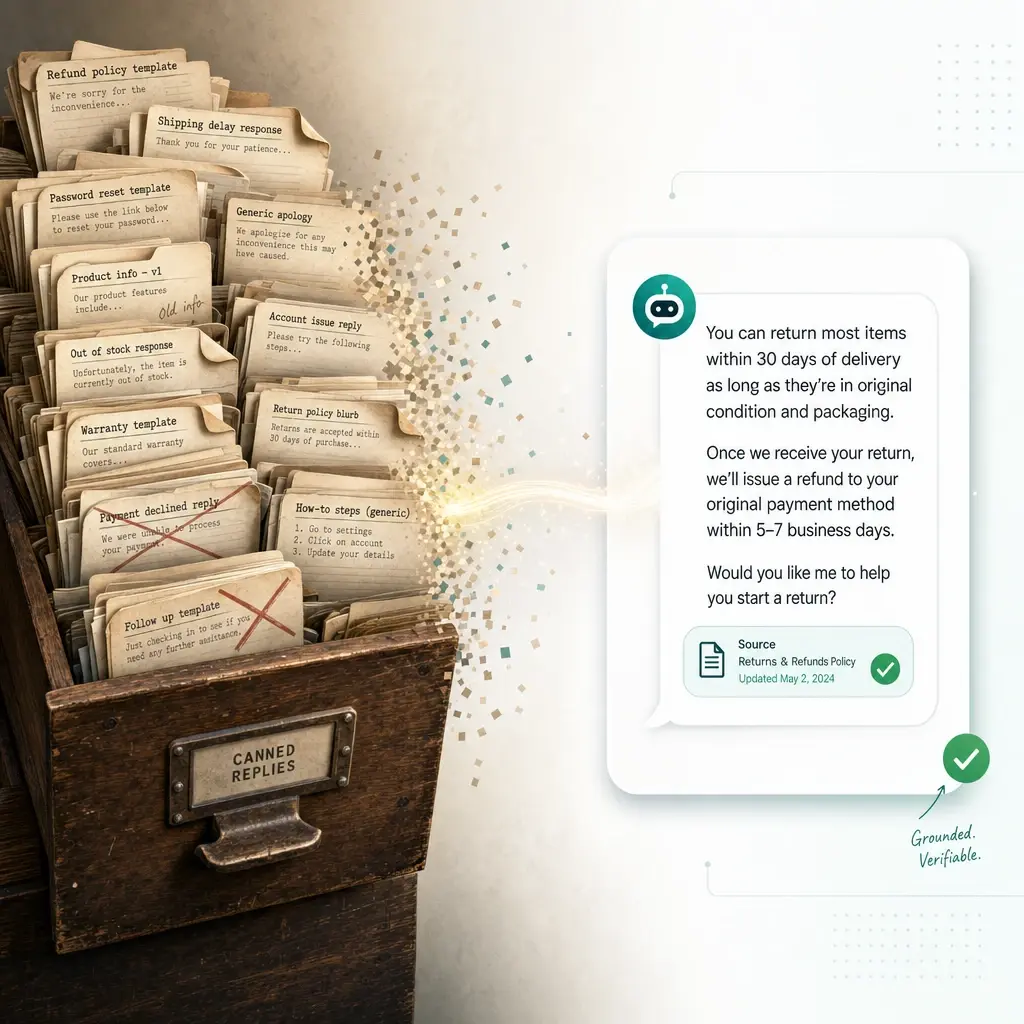
Canned responses were a clever fix for a dumb problem: typing the same answer over and over. An AI agent makes that fix obsolete by generating the answer from your knowledge instead of from a template library someone has to maintain. But “rip out the macros and let AI freestyle” is the wrong instinct — the consistency those templates gave you is worth keeping, and the way to keep it is to move your source of truth, not delete it.
This is a playbook for that move: what canned responses actually did for you, what breaks when you scale them, the two very different things people mean by “replace them with AI,” and how to migrate without trading a maintenance problem for a trust problem. I’ll be upfront that Owlish is our product and it’s built for the grounded-answer side of this. The framework holds whether or not you use it.
What canned responses actually did — and why they break
A canned response (Zendesk and Gorgias call them macros, Intercom and Help Scout call them saved replies, Freshdesk calls them canned responses) does two jobs. It saves an agent from retyping a common answer, and it keeps the wording consistent and approved. Both are real. Neither requires AI to be valuable.
The trouble is what happens as the library grows. A team that starts with twelve macros ends up with three hundred, and that’s where the cracks show:
- They go stale silently. A return policy gets changed in a Slack thread and a help-center article, but the macro that quotes the old window keeps getting sent. Nobody notices until a customer does. The bigger your library, the more of it is quietly wrong.
- The right one is hard to find. Past a few dozen, agents scan, guess, and occasionally send the wrong template — the apology macro for a different product, the shipping policy for the wrong region. Speed was the whole point, and search friction eats it back.
- Placeholders aren’t personalization. Swapping
[CUSTOMER NAME]and[ORDER ID]into a template isn’t the same as answering this person’s actual question. Customers can tell when they’ve been handed a form letter, and a near-miss template often generates a second ticket asking what you actually meant. - They inform; they can’t resolve. A canned response can describe your refund policy. It can’t check whether this order qualifies, issue the credit, or update the record. For any account-specific action, the template is just the preamble to real work.
None of this means canned responses were a mistake. It means they were a workaround for the absence of a system that could read your knowledge and answer from it directly. That system now exists.
”Replace with AI” means two different things — get them straight first
Before you change anything, separate the two projects that hide under this phrase, because they need different tools.
Customer-facing replacement. A grounded AI agent sits in your web widget (or Slack, Teams, or Discord) and answers the customer before a ticket is ever created. Most of your highest-volume macros — hours, policies, “how do I…”, order-status explanations — were written for questions that, with self-service, the customer now resolves themselves. The macro doesn’t get replaced so much as the ticket disappears. This is deflection done as resolution, and it’s where the biggest reduction in template volume comes from. Gartner projects self-service and live chat will surpass phone and email as the most valuable service technologies by 2027 (Gartner, Aug 2025).
Agent-facing replacement. Inside your helpdesk, a copilot drafts a reply for a human agent to send instead of pasting a macro. This is a different category of product (agent assist), and the evidence for it is strong: the large NBER study Generative AI at Work tracked 5,179 support agents and found access to an AI assistant raised resolved-issues-per-hour by 14% on average, and by about 34% for novice and low-skilled agents (Brynjolfsson, Li & Raymond, NBER, 2023). The newest agents, the ones who lean hardest on macros, benefit most because the AI surfaces what an experienced colleague would say.
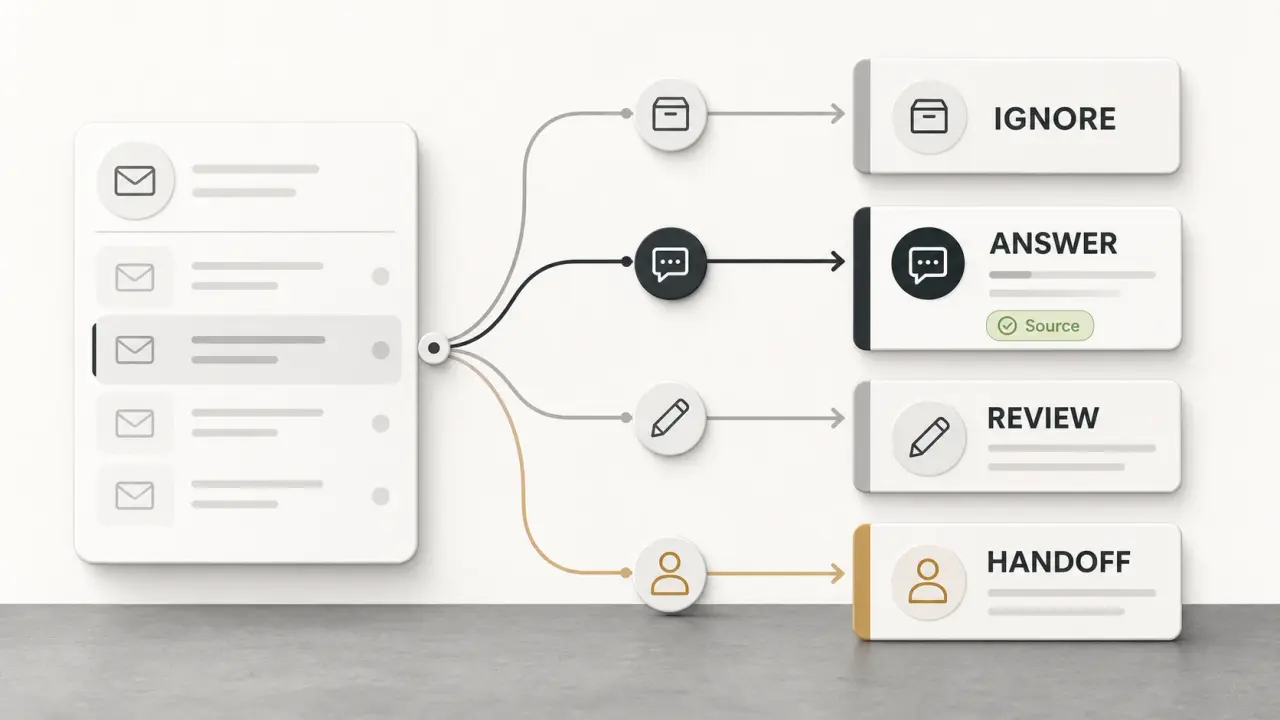
These are not the same purchase. A customer-facing agent reduces how many tickets reach a human at all; an agent copilot speeds up the ones that do. Owlish is the first kind: it answers customers and hands off to a person. It is not a reply-drafting copilot embedded inside Zendesk or Intercom. If agent-side drafting is what you’re after, look at an agent-assist tool in your existing desk. Use our AI agent, chatbot, and copilot routing guide to decide whether a contact needs a cited answer, human assist, a narrow action, or escalation. The rest of this guide is about the customer-facing move, where retiring macros is most of the win.
The part of canned responses worth keeping
Here’s the mistake teams make when they get excited about AI: they delete every template and point the agent at “all our docs,” then act surprised when it phrases a refund policy three different ways across three conversations.
The reason to keep some canonical answers isn’t nostalgia. It’s that for a specific class of questions, the exact wording is the product. Refund eligibility, security and data-handling claims, pricing edge cases, legal-adjacent policy — these are answers you want stated one approved way every time, not paraphrased on the fly. That control is what a good macro gave you, and you shouldn’t throw it away.
The AI-native version of that control isn’t a template an agent pastes. It’s a canonical answer the agent is grounded in — written once, served consistently, cited to itself, and editable in seconds when the policy changes. The agent still handles tone and follow-ups, but the substance of the sensitive answer is fixed by you, not improvised. In Owlish this is a Direct Response: you write the question the way a customer asks it and the canonical answer in the agent’s voice, and the agent serves that answer (paraphrase-robust, because embeddings match the intent) with a citation, editable live with no re-ingest. It’s a macro that updates everywhere at once and can’t be sent for the wrong question.
How to migrate: sort your library into three buckets
Don’t import three hundred macros into an AI tool and call it a migration — you’ll just carry the stale ones forward. Open your macro library and sort each one into a bucket.
| Macro type | What it is | Where it goes |
|---|---|---|
| Informational | Explains a policy, process, or how-to | Retire it — ground the agent in the real doc |
| Canonical | Sensitive answer that needs exact, approved wording | Convert to a curated direct answer the agent serves verbatim, with a citation |
| Action | Triggers a refund, reset, lookup, or record change | Keep in the helpdesk/agent workflow — the AI hands off |
The discipline behind the table:
- Informational macros point you to the upstream source. A macro that quotes your shipping policy is a copy of the truth, not the truth. Delete the copy and ground the agent in the source — your help center, website, and policy PDFs — so the answer is generated from the document everyone already maintains. One place to update, not two.
- Canonical macros become curated answers. Take the handful where wording matters and convert each to a direct/curated answer the agent serves consistently. This is the bucket most teams under-invest in, and it’s the one that protects you from the “AI rephrased our refund policy” failure mode.
- Action macros aren’t answers at all. “Issue store credit,” “reset the device,” “escalate to billing” — these are tasks. They stay with a human (or a tool integration), and the agent’s job is a clean handoff that passes the conversation and context so the customer doesn’t repeat themselves. Zendesk’s 2026 research found 74% of consumers are frustrated when they have to re-explain to a new agent (Zendesk, 2026).
Once it’s sorted, turn on citations so every served answer links to the source it came from. Citations are what make a retired-macro migration safe: you can audit any answer against its source, the agent has a built-in reason to refuse rather than invent when it has no source, and the customer can verify what they were told. We’ve argued before that grounded answers with citations are the line between self-service that resolves and self-service that erodes trust.
The mistakes that sink a macro-to-AI migration
The failure modes here are specific and avoidable:
- Importing macros verbatim as training data. Old macros encode old policy. If you feed the whole library in without auditing, you’ve taught the agent your mistakes at scale. Ground it in current sources and convert only the canonical answers you’ve verified.
- Deleting canonical control entirely. The opposite error. Letting the AI generate sensitive answers (refunds, security posture, legal terms) from loosely-worded docs invites inconsistency and liability. Keep curated answers for the questions where exact wording matters.
- Measuring deflection instead of resolution. A dropped ticket can mean the customer got their answer or gave up. If your only metric is “tickets avoided,” you’ll reward an agent that drives people away. Track resolution and escalation quality next to deflection — our resolution rate vs. deflection rate breakdown pulls them apart.
- Letting the knowledge base go stale. The maintenance debt that rotted your macros doesn’t vanish; it moves to your sources. The win is that you now maintain one set of documents instead of two, but you still have to maintain them. Run a periodic knowledge base gap analysis and mine the agent’s escalation log for the questions it couldn’t answer.
- Skipping tone. A macro carried your brand voice. An ungrounded agent defaults to generic. Set the agent’s tone explicitly so retired templates don’t take your voice with them — see our guide to designing an AI support agent’s voice and tone.
How to tell it’s working
Watch a small set of signals in the weeks after you retire a batch of macros:
- Repeat-contact rate. Form-letter macros generate follow-up tickets (“that didn’t answer my question”). A grounded answer that actually resolves should pull this down. If repeat contacts rise, your sources are too thin or the agent is guessing.
- Resolution rate, not just deflection. The share of conversations that ended with the customer’s answer. This is the number to obsess over.
- Escalation quality. How often the agent hands off, and whether those handoffs are appropriate. An agent that never escalates is hiding failures; one that always escalates isn’t doing its job.
- Answer-to-source audits. Spot-check cited answers against their sources, especially for the canonical bucket. This is the macro-era “is this template still right?” review, made faster by citations.
For the fuller metric set, see the AI customer service metrics that matter after launch.
Where Owlish fits
Owlish is a no-code platform for the customer-facing side of this migration. You point it at your knowledge — websites, help centers, PDFs, DOCX, CSV, TXT, Markdown — and it builds an AI agent that answers customer questions grounded in those sources, with a citation on every answer so each reply is verifiable. For the canonical bucket, Direct Responses let you write an exact answer the agent serves verbatim and edit it live without re-ingesting. The agent runs in a web widget and in Slack, Teams, and Discord, and when a question shouldn’t stay with AI, it hands off to a human operator in a shared helpdesk inbox with the conversation context attached. Pricing is flat and session-based rather than per-resolution, so a support layer that gets better at resolving doesn’t cost more each time it succeeds: there’s a free tier, then Starter at $49/mo ($39/mo billed annually), Growth at $149/mo ($119/mo annually), and Scale at $449/mo ($359/mo annually) — roughly 20% off on annual billing.
Owlish is a good fit if you’re a small or growing support team that wants to retire a maintenance-heavy macro library for grounded, cited answers and a clean handoff. It’s not an agent-assist copilot that drafts replies inside your existing helpdesk, and it’s not a deep service-management or order-management engine that executes refunds and back-office actions. If you need reply-drafting for human agents, a copilot in your desk is the right tool; if you need an action engine, keep that in your system of record and let a grounded agent answer the questions in front of it. The honest scope is narrow: answer customers accurately, cite the source, and hand the rest to a person.
A practical migration checklist
- Export your macro library and sort each one into informational, canonical, or action.
- Retire informational macros by grounding the agent in the upstream source they copied.
- Convert canonical macros to curated direct answers the agent serves verbatim, with citations on.
- Leave action macros in the human/agent workflow and define the handoff that routes to them.
- Set the agent’s tone so retired templates don’t take your brand voice with them.
- Launch narrow — to your top questions — and read the escalation log weekly.
- Watch repeat-contact and resolution together, and expand scope only as the evidence holds.
Frequently asked questions
Are canned responses obsolete in 2026? Not entirely. Informational macros — policies, how-tos, order-status explanations — are better replaced by an AI agent that answers from your live sources, because templates go stale and get mis-sent at scale. But canonical answers, where exact wording matters (refunds, security, legal-adjacent policy), are worth keeping in a controlled form. The shift is from a template an agent pastes to a curated answer the AI is grounded in and serves consistently.
Can an AI agent use my existing canned responses? You can convert them, but don’t import them wholesale. Old macros often encode outdated policy, so feeding the whole library in teaches the agent your mistakes. Audit them, retire the informational ones in favor of grounding the agent in current sources, and convert only the verified canonical answers into curated direct responses.
What’s the difference between a macro and a curated AI answer? A macro is static text an agent selects and sends; it lives in a separate library that has to be maintained alongside your real docs, and it can be sent for the wrong question. A curated AI answer (in Owlish, a Direct Response) is a canonical answer the agent serves itself, matched to the customer’s intent by meaning rather than exact phrasing, shown with a citation, and editable live so it updates everywhere at once.
Will an AI agent give consistent answers for sensitive topics? Only if you give it a canonical source for them. For refund eligibility, security claims, or pricing edge cases, write a curated answer the agent serves verbatim rather than letting it paraphrase from loosely-worded docs. Pair that with citations so you can audit any sensitive answer against its source.
Does retiring macros mean firing support agents? No — it changes what they spend time on. Grounded self-service absorbs the repetitive, knowable questions that filled macro libraries, so agents focus on account-specific, high-risk, and emotional issues where judgment matters. The action macros — refunds, escalations, record changes — stay with humans, reached through a clean handoff.
How do I keep AI answers accurate after retiring macros? The maintenance work moves from your macro library to your knowledge base, and now there’s only one to keep current. Run a periodic gap analysis, mine the agent’s escalation and refusal log for questions it couldn’t answer, and spot-check cited answers against their sources. Citations make that review faster than the old “is this template still right?” audit.
The takeaway
Canned responses were the right answer to “stop typing the same thing twice.” They aged into a second knowledge base that nobody fully maintains, sent for the wrong question often enough to matter, and incapable of resolving anything account-specific. An AI agent fixes the original problem at the root — by generating answers from your knowledge — but only if you’re deliberate about it.
Retire the informational templates and ground the agent in the sources they copied. Keep the canonical ones, in a form the agent serves consistently and cites. Leave the action macros with a human and hand off cleanly. Do that and you don’t lose the consistency macros gave you — you get it without the maintenance tax. If you want to make that move, you can build an agent on Owlish, point it at your knowledge, and let the escalation log tell you which macros to retire next.
Sources cited above were checked in June 2026. Gartner, Zendesk, and NBER figures link to their publications and may be updated by their publishers over time. Product names — Zendesk, Gorgias, Intercom, Help Scout, Freshdesk — are trademarks of their respective owners, referenced here for factual comparison only; Owlish is not affiliated with or endorsed by them.