How to Find the Gaps in Your Support Knowledge Base
A practical 2026 playbook for support knowledge base gap analysis: where gaps hide, the four data sources that reveal them, how to rank what to fix first, and why a grounded AI agent is the best gap detector you have.
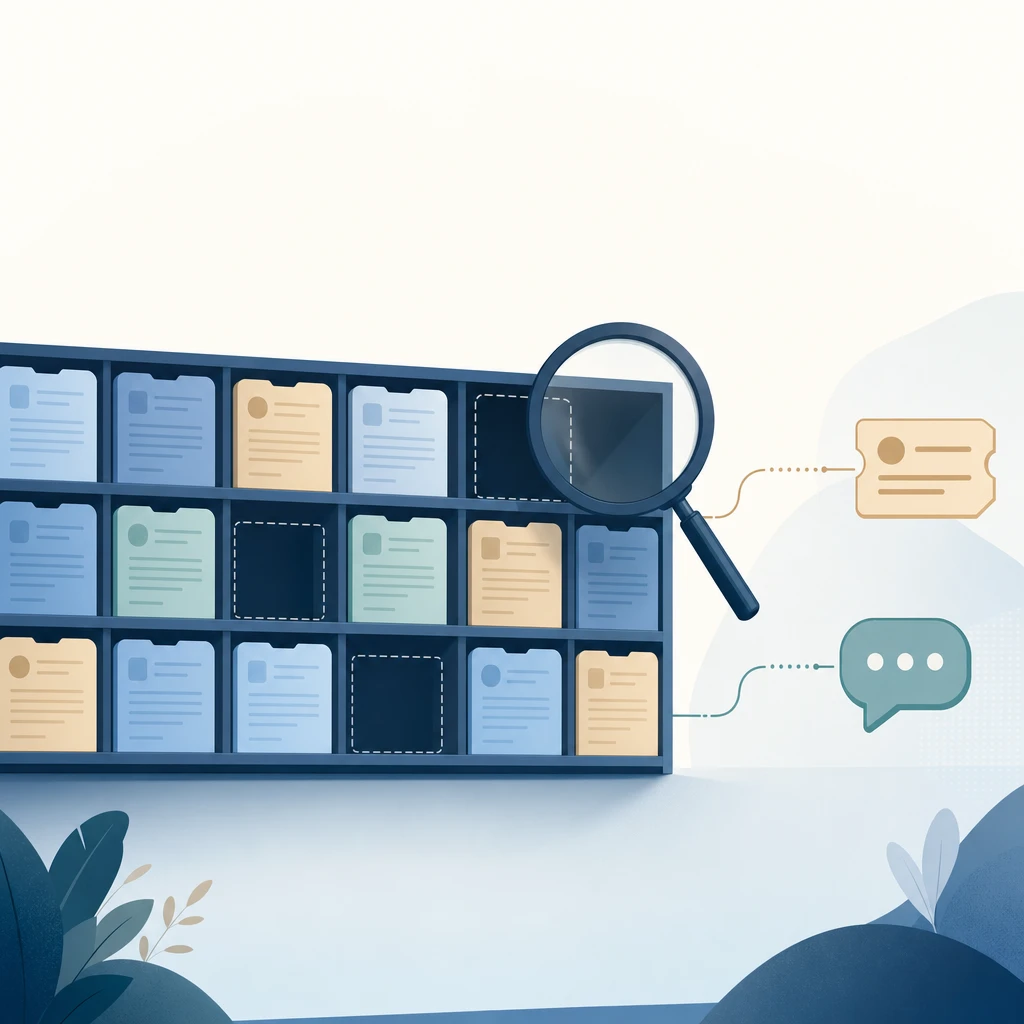
Your support knowledge base does not fail at the articles you wrote. It fails at the questions you never thought to answer — and you usually find out when a customer asks one and your AI agent confidently makes something up. Knowledge base gap analysis is how you find those holes on purpose, before the bot finds them for you in front of a customer.
This is a playbook, not a theory piece. It covers where gaps actually hide, the four data sources that surface them, how to rank what to fix first so you are not just writing the easy articles, and why a grounded AI support agent is the most honest gap detector your team has ever had.
A gap is a question you can’t answer well — not a missing article
Most teams picture a knowledge gap as a missing help article. That definition is too narrow, and it makes you fix the wrong things.
A real gap is any customer question your support system cannot answer correctly, completely, and on its own. That includes:
- Missing content — the question is common and nothing documents the answer.
- Stale content — an article exists, but it describes last quarter’s policy, price, or product.
- Contradictory content — two pages disagree, so the right answer is undiscoverable even though it is technically written down.
- Unfindable content — the answer exists, but it is buried in a paragraph, written in internal jargon, or phrased nothing like how customers ask.
The last three are why “we already have an article on that” is a trap. An AI agent retrieving from your content does not care that the answer exists somewhere — it cares whether the right passage is clean, current, and phrased close to the customer’s question. A gap analysis that only counts missing pages will miss most of the problem.
Why this matters more now
Two things changed the stakes. First, the volume an AI agent is expected to absorb. Gartner predicts that by 2029, agentic AI will autonomously resolve 80% of common customer service issues without human intervention, driving a roughly 30% reduction in operational costs. (CX Today, March 2025) A bot resolving four out of five common issues is only possible if the underlying content actually covers those issues — gaps cap your ceiling.
Second, the cost of getting it wrong. Forrester’s 2026 predictions warn that about one in three brands will erode customer trust by rushing customer-facing generative AI into production before it is ready. (Forrester 2026 predictions, October 2025) A confident answer pulled from a stale or contradictory source is exactly how that trust erodes. Closing gaps before you scale an agent is the difference between deflection and damage.
Where the gaps hide
Before you go looking, know the four places gaps concentrate. They are not evenly distributed.
- The long tail of low-frequency questions. Your team answers the top ten questions in its sleep, so those get documented. The hundreds of questions that each come up twice a month rarely do — and collectively they are a large share of volume.
- Account- and context-specific questions. “Where is my order,” “why was I charged twice.” These often can’t live in a static article at all; the gap is really a missing handoff or integration, not a missing page.
- The seams between teams. Billing, shipping, and product each own their docs. The questions that cross two domains (“can I change the address on an order I already paid for?”) fall in the crack between them.
- Recently changed things. New feature, new policy, new price. The content team is always a step behind the change, and that lag window is a pure gap.
Keep these four in mind as you run the data analysis below — they tell you where to look harder.
The four data sources that reveal gaps
Gap analysis is mostly a listening exercise. Here are the four sources, in rough order of signal strength.
1. Your ticket and chat history (the baseline)
Start with the last 60–90 days of tickets and live chats. You are not reading them one by one — you are clustering them by intent to see what people actually contact you about, then comparing that distribution against what your knowledge base covers.
A workable manual pass:
- Pull the subject lines and first messages from your help desk.
- Group them into question types — “refund timing,” “reset password,” “cancel subscription,” and so on.
- Rank the groups by volume.
- For each high-volume group, check: is there one clear, current article that answers it? If not, that’s a gap.
This is the method incumbents productized years ago. Zendesk’s Content Cues, for example, analyzed ticket trends to suggest articles to create, update, or archive. (Notably, Zendesk has announced it is retiring Content Cues in favor of a newer approach that derives gaps from bot conversations rather than tickets — Zendesk help — which is exactly the shift the rest of this playbook leans into.) You do not need their tooling to do the same analysis; you need a spreadsheet and an afternoon.
2. Internal search queries with no useful result
Your help center search bar is a confession log. Every query that returned no results, or returned results nobody clicked, is a customer telling you what they expected to find and didn’t.
Look for two patterns in your site or help-center search analytics:
- Zero-result searches. The query matched nothing. Either the content is missing or it is named so differently from the query that search can’t connect them.
- Searches with no click-through. Results came back, but none looked right enough to open. That usually means the content exists but is mistitled or off-target — an unfindable gap, not a missing one.
This source is underused because the data lives in a different tool than the ticket queue. It is worth the stitch: search queries capture the questions of people who tried to self-serve and gave up, which is precisely the audience an AI agent is meant to catch.
3. The questions your AI agent refuses or escalates (highest signal)
If you already run an AI support agent that is built to refuse when it has no grounded source, its escalation log is the single best gap detector you have. Every time it hands off because it couldn’t find a supporting passage, it has labeled a gap for you — with the exact customer phrasing attached.
This is the part most teams miss. A well-built agent does not just deflect tickets; it generates a ranked list of what your knowledge base is missing, sorted naturally by how often each gap comes up. A refusal is not a failure to be hidden — it is a free, precise content brief.
The catch is that this only works if your agent is honest. An agent that hallucinates instead of refusing produces no gap signal at all — it papers over the hole with a plausible guess, and you learn about the gap from an angry customer instead of a log entry. Which is the whole argument for grounded answers, and the next source.
4. Confidently wrong answers (the contradiction tax)
The hardest gaps to find are the ones where your system answers — just incorrectly. These come from stale or contradictory content, and they don’t show up as zero-result searches or escalations because the system thinks it succeeded.
Two ways to surface them:
- Spot-check answers against the source of truth. Take your top 30 real questions, run them through your agent (or your search), and grade each answer for correctness, not just plausibility. The ones that sound right but cite the wrong or outdated page are contradiction gaps.
- Read the citations. If your agent cites its sources, scan which document each top answer pulled from. An answer to a refund question citing a 2024 promo page instead of the current returns policy is a gap you can see at a glance — and could not have seen without citations.
This is why citations are an operational tool, not just a trust feature. They turn “the bot was wrong” into “the bot pulled from the wrong document,” which is a fixable, locatable problem.
Rank gaps by volume × cost, not by what’s easy to write
Once you have a list of gaps, the failure mode is writing whatever is quickest. Resist it. Score each gap on two axes:
- Frequency — how often does this question come up? (You already have this from sources 1–3.)
- Cost of getting it wrong — what happens if the answer is missing or incorrect? A wrong shipping ETA is mild annoyance. A wrong cancellation policy, billing answer, or compliance statement is a refund, a chargeback, or a complaint.
Plot the two and work the top-right first: high frequency, high cost. A low-frequency question with severe downside (say, a security or data-deletion question) can still jump the queue — rarity doesn’t make a wrong legal answer cheap.
A simple working order:
- High volume, high cost — fix this week. These are the answers your agent must get right before you let it scale.
- High volume, low cost — fix next. Big deflection wins, low blast radius.
- Low volume, high cost — document, then route to a human by policy even once documented.
- Low volume, low cost — backlog. Let real demand pull these up over time.
Close the loop: an owner and a cadence, not a one-time audit
A gap analysis you run once is a snapshot that goes stale the day your next feature ships. The teams whose agents stay accurate treat gap-finding as a standing loop, not a project:
- Assign an owner. One person (or a rotating role) owns the gap list and decides what gets written. Without an owner, the list rots.
- Make new gaps part of shipping. When a policy, price, or feature changes, updating the relevant content is part of the release, not a follow-up someone gets to later. The change creates the gap; close it in the same motion.
- Re-run the analysis on a cadence. Monthly for active products. Each pass starts from the escalation and zero-result logs, which surface new gaps automatically.
- Re-sync your agent after every content change. Editing the source does nothing until the agent re-indexes it. Put the sync on the same schedule, or use a platform that automates it.
We go deeper on the build-and-refresh side in the guide to building an AI knowledge base for customer support; this post is the audit half of the same loop.
Why a grounded AI agent is your best gap detector
Here is the shift worth internalizing: a properly grounded AI agent does not just consume your knowledge base — it audits it continuously, for free.
A traditional gap analysis is something a human runs quarterly with a spreadsheet. An agent that is required to answer only from retrieved, cited sources runs that analysis on every single conversation. Every refusal is a labeled missing-content gap. Every escalation with a transcript is a content brief. Every citation you read is a contradiction check. The list comes ranked by real demand, because it is built from real questions.
This only holds for agents built to be honest about uncertainty. An agent that guesses to seem helpful destroys the signal — it converts a visible gap into an invisible wrong answer. Grounding plus citations earns trust on any single answer, and it is also what makes the whole system self-diagnosing. (We made the trust case in detail in why grounded answers matter.)
Where Owlish fits
Owlish is our product, so treat this as a positioned recommendation, not neutral editorial — but the playbook above works whatever tool you use. Owlish is built specifically for the grounded path that makes gap-finding automatic, aimed at small and growing support teams:
- Grounded answers with citations on by default, so every answer is traceable to a source — which is what lets you spot contradiction gaps while testing instead of after a complaint.
- Honest refusals and human handoff — when there is no supporting source, the agent hands off to a shared Helpdesk inbox with the full transcript instead of guessing, turning each gap into a logged, ranked signal.
- Ingestion that maps to closing gaps fast — crawl your site, upload PDFs, and write Direct Response answers for your highest-volume questions, then re-sync as content changes.
- No-code setup, so the work stays content curation, not engineering — and deploys on a web widget and channels like Slack and Microsoft Teams.
Owlish has a free tier to build and test an agent on the web widget, and paid plans start at $39/mo billed annually ($49/mo monthly) on Starter and $119/mo billed annually ($149/mo monthly) on Growth, which adds human handoff, the shared inbox, and scheduled knowledge-base sync.
When is Owlish not the right fit? If you need a full enterprise service desk with deep ticketing, telephony, and CRM-driven content operations — or a dedicated knowledge-management suite with editorial workflows and approvals — a larger platform serves that footprint better. Owlish is the better choice when you want grounded, cited answers and a self-diagnosing gap loop without standing up an ML pipeline or a heavyweight suite.
A practical gap-analysis checklist
- Pull 60–90 days of tickets and chats; cluster by intent and rank by volume.
- Compare the top question types against existing, current articles — flag missing, stale, contradictory, and unfindable.
- Export zero-result and no-click searches from your help-center search analytics.
- Mine your AI agent’s refusal and escalation log for ranked missing-content gaps.
- Spot-check your top 30 answers for correctness and read their citations for contradiction gaps.
- Score every gap on frequency × cost; fix high/high first.
- Assign an owner and a monthly cadence; fold gap-closing into every product/policy change.
- Re-sync the agent’s index after each content update.
Frequently asked questions
What is a knowledge base gap analysis? It is the process of finding the customer questions your support content can’t answer correctly, completely, and on its own — then ranking and closing them. The important part: “gap” includes stale, contradictory, and unfindable content, not just missing articles.
How do I find gaps in my knowledge base? Use four data sources: ticket and chat history clustered by intent, zero-result and no-click help-center searches, your AI agent’s refusal and escalation log, and spot-checks of top answers for correctness. The agent’s escalation log is usually the highest-signal source because it labels gaps with the exact customer phrasing.
How often should I run a gap analysis? Treat it as a standing loop rather than a one-time audit — monthly for active products, plus closing each gap as the change that created it ships. Escalation and zero-result logs surface new gaps continuously, so each pass starts from fresh data.
Can an AI chatbot help find knowledge gaps? Yes — a grounded agent that refuses when it has no supporting source effectively runs a gap analysis on every conversation, producing a demand-ranked list of what’s missing. This only works if the agent is built to refuse rather than hallucinate; a guessing bot hides gaps instead of revealing them.
How do I prioritize which gaps to fix first? Score each gap on frequency (how often it comes up) and cost of a wrong answer (refund, chargeback, complaint, compliance risk). Fix high-frequency, high-cost gaps first; document high-cost rare ones and route them to a human even once documented.
Isn’t a gap just a missing help article? No. An answer can exist but be outdated, contradicted by another page, or buried and phrased unlike how customers ask. Retrieval-based AI agents fail on all three, so an analysis that only counts missing pages misses most of the real problem.
The takeaway
Knowledge base gaps are invisible right up until a customer or your AI agent trips over one. The fix is to go looking on purpose: define a gap as any question you can’t answer well, listen to four data sources — tickets, search, escalations, and citations — and rank what you find by frequency times cost. Then make it a loop, with an owner, that runs every month and closes new gaps as they’re created.
The accelerant is a grounded agent that refuses instead of guesses, because it turns every conversation into a free, ranked audit of your content. If you want to run that loop end to end, you can build an agent on Owlish — point it at your content, read the citations, and let the escalation log tell you exactly what your knowledge base is missing.
Company and product names mentioned above are trademarks of their respective owners. Statistics and feature details were checked against the cited sources in June 2026 and can change; verify on each source’s current pages. Owlish is not affiliated with or endorsed by these companies.