
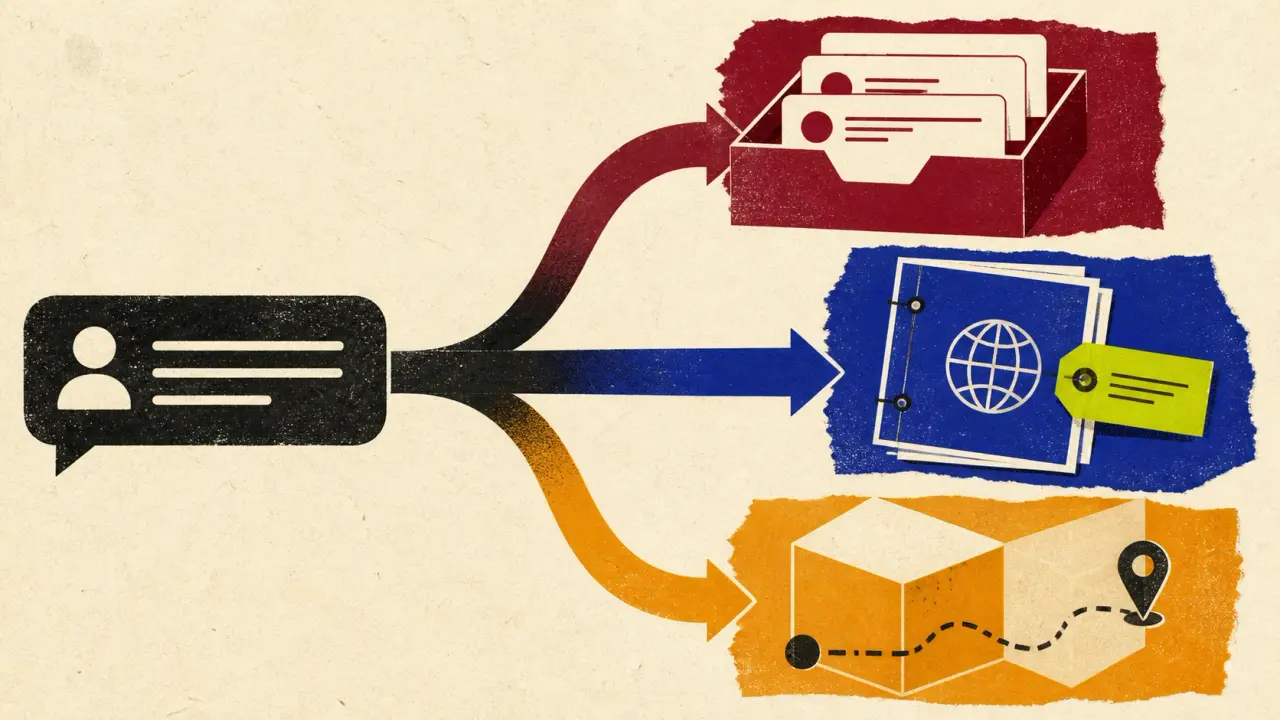
If Crisp’s shared inbox and customer context are doing their job, replacing it just to add AI is usually the wrong move. Switch only when you need a deeper service suite, a separately grounded AI front line, or a capability that Crisp’s current workflow cannot provide.
That is why a search for “Crisp alternatives” is not one buying job. Some teams should keep Crisp and fix their source material; some should add a support agent in front of it; others should migrate to a full help desk. This guide makes that choice explicit before comparing products.
Owlish is our product, so this is not neutral third-party editorial. I checked the public product, pricing, and help pages for the vendors below in August 2026. Product packaging changes, so use the links to re-check the details that affect your contract.
The short answer: choose the support-stack shape first
| Tool | Best for | Key strengths | Limitation to test | Pricing note checked August 2026 |
|---|---|---|---|---|
| Owlish | Teams that want a cited AI support front line on their site and documents | Website and file ingestion, visible citations, no-code web widget, operator handoff | Not a documented native Crisp integration or a full ticketing suite | Free; Starter $49/mo monthly or $39/mo annual; handoff starts on Growth |
| Intercom Fin | Teams that want an AI agent alongside a broader service platform or supported help-desk route | Fin AI Agent, shared inbox, ticketing, workflows, help centre | Model Fin outcomes alongside seat and platform cost | From $0.99 per Fin outcome; suite also uses seats |
| Zendesk | Teams moving to a deeper service operation | Ticketing, routing, knowledge base, AI agents, omnichannel support | A migration changes daily operator workflow, not only the chat widget | Support Team $19/agent/mo annual; Suite Team $55/agent/mo annual |
| Tidio Lyro | Smaller teams that want live chat and an AI agent with usage controls | Tidio help desk or standalone Lyro option, flows, unified analytics | Separate human-conversation, AI-conversation, and flow meters | Free; Starter $24.17/mo; Growth from $49.17/mo; Lyro is separately metered |
| Chatbase | Teams that want a configurable customer-experience agent across several surfaces | Agent testing, knowledge sources, messaging credits, helpdesk/voice options on higher plans | Message-credit allowance and advanced-channel needs | Free; Hobby $32/mo annual; Standard $120/mo annual |
| SiteGPT | Small sites that want a website-trained agent and published quota limits | Website-trained chatbot, human escalation, integrations, refresh controls | It is an AI layer, not a full help-desk replacement | Starter $39/mo annual; Growth $79/mo annual |
The table is a starting point, not a ranking. A full service suite, an inbox-first product, and an AI answering layer solve different parts of customer support. Compare the workflow you will actually run, then compare the price unit.
If the shared-inbox question is specifically about Front rather than Crisp, use our Front alternatives workflow-retention guide to separate the inbox workflow worth preserving from the answering or platform layer that needs to change.
Before you replace Crisp, name the workflow you would lose
Crisp describes its product as an AI-first customer-support suite with a shared inbox, customer data, workflow automation, and an AI agent. Its pricing is flat per workspace: the public page lists Mini at $45/month, Essentials at $95/month, and Plus at $295/month, with different included seat counts and AI credits. See Crisp’s current plans.
That can be a sensible shape for a team whose agents work all day in a shared inbox. It is a less sensible reason to migrate if the only problem is that website visitors need answers from a better-maintained knowledge base.
Write the exact Crisp job you would be giving up before you book any demos:
- A shared inbox and customer history?
- Omnichannel routing and assignment?
- An AI agent that has access to the same support operation?
- A simple website FAQ layer with a clear way to reach a person?
- An account-, order-, or subscription-specific answer that needs a verified live-data connector?
The first three point toward keeping or replacing a support suite. The fourth can be an AI layer. The fifth is not a knowledge-base problem at all: it requires an exact, documented system action and permission model.
Use this Crisp exit / keep worksheet before you compare prices
Run this worksheet with the person who owns support operations, not only the person buying software. It turns a vague “we need a Crisp alternative” request into evidence you can test.
| Question to answer | Evidence to collect | Decision signal |
|---|---|---|
| Which channels produce most support work today? | Last 60–90 days of chat, email, social, and ticket volume | Do not buy voice or omnichannel depth for channels you do not actually use |
| Which Crisp Inbox or CRM behaviours are non-negotiable? | A short list of assignments, notes, routing, reporting, and customer-data tasks | If operators use these daily, an AI layer is not a replacement |
| Which sources should the agent answer from? | Help-centre URLs, policies, PDFs, product docs, and source owners | A website-only trial can hide a document-coverage gap |
| Can a customer and operator inspect the answer evidence? | Ten real customer questions and their source links or answer boundary | A fluent answer without an inspectable basis is not a pass |
| What should a human receive at handoff? | Transcript, source evidence, reason for escalation, customer details | Test the operator’s view, not only the visitor’s chat window |
| Which questions require authenticated data or an action? | Order, invoice, cancellation, account, and exception examples | Require a documented connector and permission model; do not infer one |
| Who owns exports, rollback, and a parallel run? | Named owner, export location, cutover date, rollback trigger | A migration without this evidence is a demo, not a plan |
Use the answers to choose one of three paths:
- Keep Crisp when the inbox, customer record, and routing workflow are the asset you want to preserve, and its AI performance passes your real-question test.
- Layer an AI support product when the work is primarily answering source-grounded website or document questions and a full suite would be unnecessary overhead.
- Migrate to a service suite when ticketing, omnichannel routing, reporting, governance, and agent workflows are now the job—not merely a future possibility.
For a broader evaluation method after this worksheet, see our AI customer-support software buyer checklist. It explains how to test grounding, handoff, channels, billing events, and failure behaviour before a contract.
1. Owlish: a cited AI support layer, not a like-for-like Crisp replacement
Owlish is a fit when the gap is the customer-facing front line: you want a no-code agent trained on your website, PDFs, documents, and Direct Responses, with citations a customer or operator can inspect. The web widget works on any website and is available on every plan. Citation display is on by default for the widget, and the citation guide explains how to trace an answer back to its source.
The limitation matters as much as the fit: Owlish does not currently document a native Crisp integration, and it is not a full ticketing CRM. Its human handoff routes a conversation to the Owlish Helpdesk inbox for an operator to take over; do not promise that a handoff lands in Crisp unless you have verified a route for your own setup.
Choose Owlish when a cited, source-grounded web and document agent is the problem to solve. Choose a full service suite instead when your operators need the replacement product’s own ticketing, telephony, and routing depth every day. Current public pricing is Free; Starter $49/month monthly or $39/month billed annually; Growth $149/month monthly or $119/month billed annually; and Scale $449/month monthly or $359/month billed annually. Handoff begins on Growth. See the plan and channel details.
2. Intercom Fin: for an AI agent plus a broader customer-service platform
Intercom is the option to evaluate when you want an AI agent and are also willing to consider a broader support platform. Its public pricing page presents Fin alongside a shared inbox, ticketing, reporting, and help centre. Intercom currently publishes from $0.99 per Fin outcome, while its suite plans also include seat-based pricing. Review Intercom’s current plan structure.
That is a legitimate fit when the surrounding platform is part of the reason for moving. It is not a direct answer to a team that only wants website answers from owned content; in that case, test whether the full platform, outcome definition, and implementation work are justified by the operating model.
3. Zendesk: for a deeper service operation
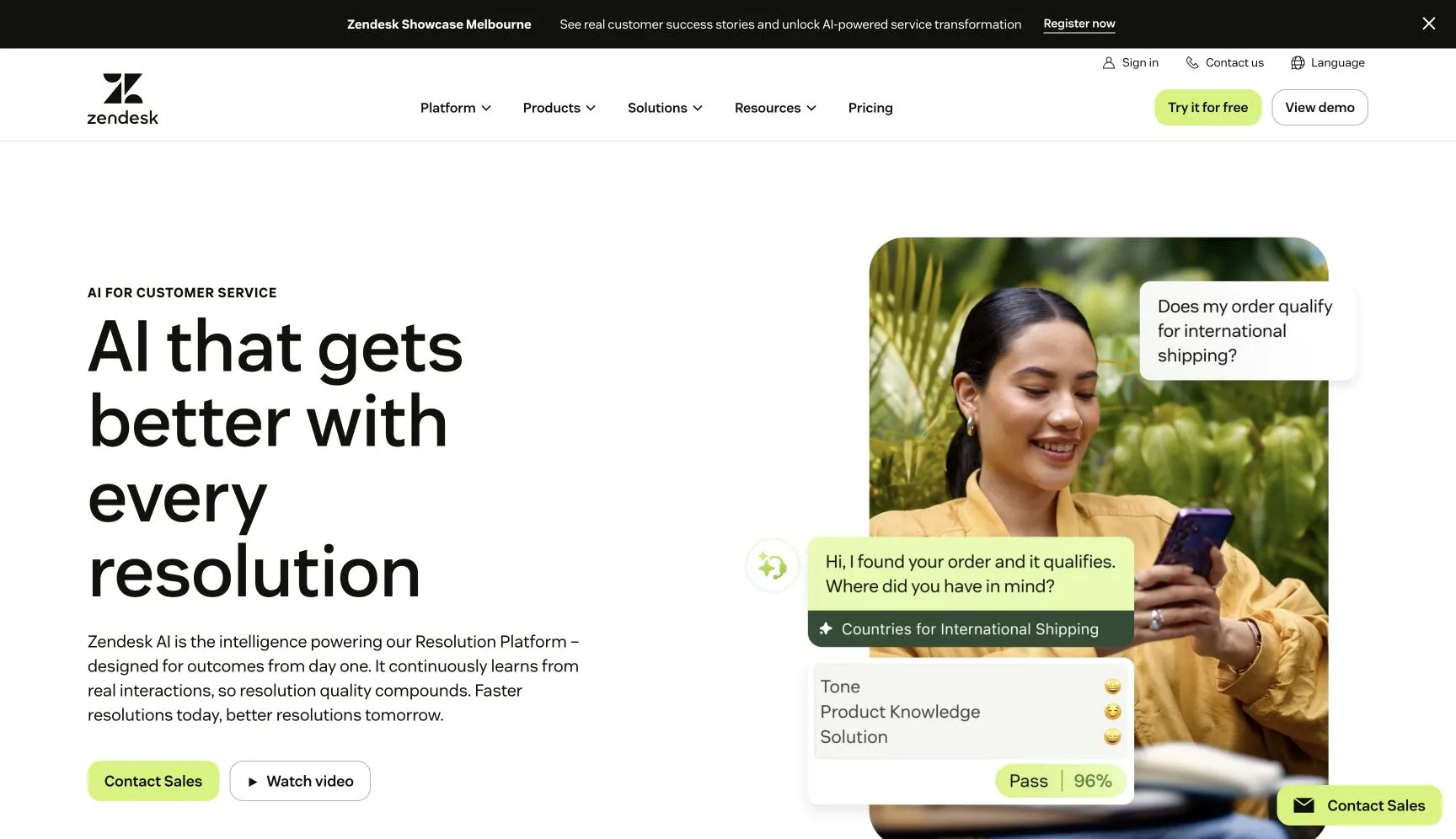
Zendesk is the direction to take when the desired change is a larger support system: ticketing, routing, reporting, knowledge management, messaging, and AI agents. Its current pricing page lists Support Team at US$19 per agent per month and Suite Team at US$55 per agent per month, both paid yearly; Suite Team includes AI Agents, an AI knowledge base, and omnichannel capabilities. Check Zendesk’s current pricing and inclusions.
The tradeoff is operational, not just financial. Moving to Zendesk changes how agents work, how queues are configured, and how support reporting is maintained. Choose it because that deeper workflow is a daily requirement, not because a widget comparison put it ahead of an inbox-first tool.
4. Tidio Lyro: for a smaller live-chat-led rollout
Tidio is worth considering when live chat remains the centre of the support operation and you want to add an AI agent gradually. Its public pricing separates the Tidio help-desk plans from Lyro AI Agent usage: Starter is listed at $24.17/month, Growth starts at $49.17/month, and AI conversations are separately modelled. Tidio also describes a standalone Lyro option for teams adding an agent to another help desk. See the current pricing calculator and definitions.
This can be a good smaller-team path, but it makes the billing model part of the test. Track human billable conversations, Lyro conversations, and proactive-flow reach in the same spreadsheet. A low entry price does not tell you what a high-volume month will cost.
5. Chatbase: for a configurable customer-experience agent
Chatbase positions its product as a customer-experience AI agent with a build, test, deploy, and optimise workflow. Its public product page describes deployment across chat, email, and voice, while the pricing page uses message credits and enables helpdesk and voice capabilities on higher plans. See Chatbase’s product overview and current pricing.
The public annual-billing prices start at $32/month for Hobby and $120/month for Standard, with published message-credit allowances. That makes the hard trial question simple: are the credits, channels, and testing controls sufficient for the mix of customer questions you receive—not only the polished demo volume?
6. SiteGPT: for a website-trained agent with published refresh and quota controls
SiteGPT is a website-agent option for teams that want to train a chatbot on their content, publish it on the site, and provide a human escalation route. Its public product page describes a website-trained chatbot, data refresh, integrations, and human escalation; its pricing page states message and page quotas alongside refresh frequency. Read SiteGPT’s product page and pricing details.
SiteGPT currently lists Starter at $39/month billed yearly, Growth at $79/month billed yearly, and Scale at $259/month billed yearly. It is a reasonable candidate when the buyer wants a web-support agent and its quotas fit. It is not a substitute for a full help desk if the core task is ticket operations and service governance.
Move carefully: export, parallel-run, and rollback evidence
Do not begin a migration by pasting a new widget into production. Start by proving that you can preserve what the new operating model actually needs.
Crisp’s own help centre says that contact profiles can be exported as CSV from the Contacts section, starting on Essentials. It also says conversations are not available as a native CSV export from the Crisp app; use the API or a third-party migration tool if you need conversation data elsewhere. Read Crisp’s contact-export guidance. Its import guide separately covers CSV imports, API routes, the Web SDK, native integrations, and automation tools. Read the import guidance.
Use this small migration runbook:
- Export a sample of contacts and document which conversation history must remain accessible.
- Assign a canonical source owner for every policy, product doc, and PDF the new agent will use. Use website sources for public pages and file ingestion for documents rather than assuming a crawl covers both.
- Run the same ten documented questions, three uncovered questions, and three escalation questions in both environments.
- Keep the Crisp route available during the parallel run. Define a rollback trigger before traffic moves: incorrect answer on a high-risk topic, failed human handoff, or missing source evidence.
- Move a small traffic segment first, then review transcripts, citations, handoffs, and billing events before declaring the change complete.
The point is not to avoid change. It is to make the change reversible until the support workflow—not just the demo—has passed.
Which Crisp alternative fits your team?
- Keep Crisp if the shared inbox, customer records, and workspace pricing are the strengths you value, and the AI agent handles your real questions safely.
- Choose Owlish if the job is a no-code, source-grounded agent on a website or document set, with citations and a human exit—not a replacement for every help-desk capability.
- Choose Intercom Fin if an AI agent plus a full support platform or supported help-desk route is worth the outcome and platform cost model.
- Choose Zendesk if you need the discipline and depth of a larger ticketing and omnichannel service operation.
- Choose Tidio if live chat is central and you are willing to model separate conversation and AI meters.
- Choose Chatbase or SiteGPT if an AI-first agent is the primary product you want to evaluate, then validate their source controls, quota model, and human workflow on your own questions.
There is no absolute winner. The useful decision is whether you are keeping an inbox, layering an answering system, or taking on a larger support platform.
Frequently asked questions
What is the best Crisp alternative?
The best alternative depends on what you are replacing. Zendesk and Intercom make sense when you need a broader service platform; Owlish, Chatbase, and SiteGPT make sense when the immediate job is a source-grounded AI front line; Tidio makes sense for a lighter live-chat-led path. Use the exit / keep worksheet above before ranking feature lists.
Can I add an AI support agent without leaving Crisp?
Possibly, but verify the handoff and data route before you promise a single workflow to operators. Owlish does not currently document a native Crisp integration. If you keep Crisp, test the exact customer journey, source evidence, and operator handoff rather than assuming two products will behave as one.
Can I export Crisp data before moving?
Crisp documents CSV contact-profile export from Essentials and above. Its help centre says conversation exports are not a native CSV option in the dashboard, so plan an API or migration-tool route if transcript history is required. Crisp’s export guide is the source of truth for the current process.
What should I test before switching customer-support tools?
Test ten questions your sources should answer, three believable questions your sources cannot answer, and three handoff or high-stakes questions. Inspect accuracy, source evidence, refusal behaviour, operator context, and the event that becomes billable. A polished demo without those five checks is not enough evidence to migrate.
Sources and trademark notice
The product and pricing claims above were checked in August 2026 against Crisp, Intercom, Zendesk, Tidio, Chatbase, and SiteGPT, plus the linked Crisp migration documentation.
Crisp, Intercom, Zendesk, Tidio, Chatbase, SiteGPT, and other product names mentioned here are trademarks or registered trademarks of their respective owners. Owlish is not affiliated with or endorsed by those companies unless explicitly stated.
If the real gap is a support agent that can answer from your own website and documents with visible evidence, start by building an Owlish agent on a small source set. Run the worksheet against the questions your team already handles, then decide whether to keep, layer, or migrate.