The 9 Best AI Chatbots for Customer Support in 2026 (Compared)
Compare nine AI customer support tools by pricing, knowledge sources, channels and human handoff.

The best AI chatbot for customer support depends on the work you need it to do. A small team answering questions from a help centre has different needs from a retailer changing orders or a support department already running Zendesk.
This guide compares nine options on pricing, knowledge sources, channels, actions and human handoff: Owlish, Fin, Zendesk AI, DevRev, Chatbase, SiteGPT, Tidio Lyro, Gorgias and Help Scout. Use it to choose a short list, then test the tools against your own customer questions.
How we compared them: Product and pricing information was checked against official vendor pages and documentation on 30 September 2026. Prices are in US dollars, before taxes. Annual figures are monthly equivalents billed annually. Screenshots show public product examples or pricing pages; they do not represent a comparative test of answer accuracy.
Disclosure: DevRev’s inclusion in this article forms part of a reciprocal content arrangement under which each party has agreed to feature the other’s product in a comparison article. No monetary compensation is exchanged under this arrangement.
The short list
The numbers help you navigate the guide; they are not a ranking of answer quality. Choose by the support work each tool fits.
| Tool | Best fit | Pricing to compare |
|---|---|---|
| Owlish | Small and growing teams that want grounded answers and a shared human-support inbox | Free plan; Starter $39/mo annual / $49/mo monthly |
| Fin + Intercom | Teams unifying channels or adding AI to an existing helpdesk | Essential $29/seat/mo annual / $39 monthly, plus $0.99 per service outcome; standalone Fin also available |
| Zendesk AI | Teams already using Zendesk ticketing, routing and knowledge | Suite Team $55/agent/mo annual; ask for monthly pricing and AI usage allowances |
| DevRev’s Customer Agent | Support teams that want AI to check logs, orders and sessions and act on what it finds | Per support conversation, metered in credits |
| Chatbase | Teams that want configurable agents, actions and helpdesk options | Hobby $32/mo annual / $40 monthly; built-in Helpdesk starts on Standard |
| SiteGPT | Website support driven mainly by existing content | Starter $39/mo annual / $59 monthly |
| Tidio Lyro | Smaller teams combining AI with live chat and messaging | Lyro from $32.50/mo annual / $39 monthly for 50 AI conversations |
| Gorgias | Shopify brands that need support connected to order data | Basic with AI: $77/mo annual / $90 monthly in the displayed package |
| Help Scout Compass | Shared-inbox teams adding AI self-service to their website or app | Standard $25/user/mo annual / $30 monthly, plus $0.75 per AI resolution |
These starting points cover different amounts of work. An agent subscription, a human seat, a message credit and a resolved conversation are different units. The sections below explain the gates that matter.
What to compare before choosing
Start with a support task. Answering a delivery-policy question needs searchable knowledge. Changing the delivery address needs an authenticated connection to your order system and permission to make the change. Check the actual integration and action, not just the channel logo.
Separate AI coverage from helpdesk coverage. A platform may support email or WhatsApp for human operators before its autonomous agent supports that channel. Check the agent’s channel list and handoff behaviour.
Check what a citation means. A customer-visible source link, an internal source log and a passage-level explanation are different things. Source visibility can depend on settings, source type and channel. Several tools now document customer-facing references; test them with the content you will actually import.
Budget the complete workflow. Include AI usage, human seats, channel fees and any required plan upgrade. A subscription with included credits still has limits. For more detail, see our guide to AI customer support pricing.
1. Owlish: grounded answers and human handoff for growing teams
Owlish builds support agents from websites, PDFs, DOCX, CSV, TXT and Markdown, with direct question-and-answer entries for exceptions. Agents can show source references, use configured skills and hand a conversation to an operator with its history intact.
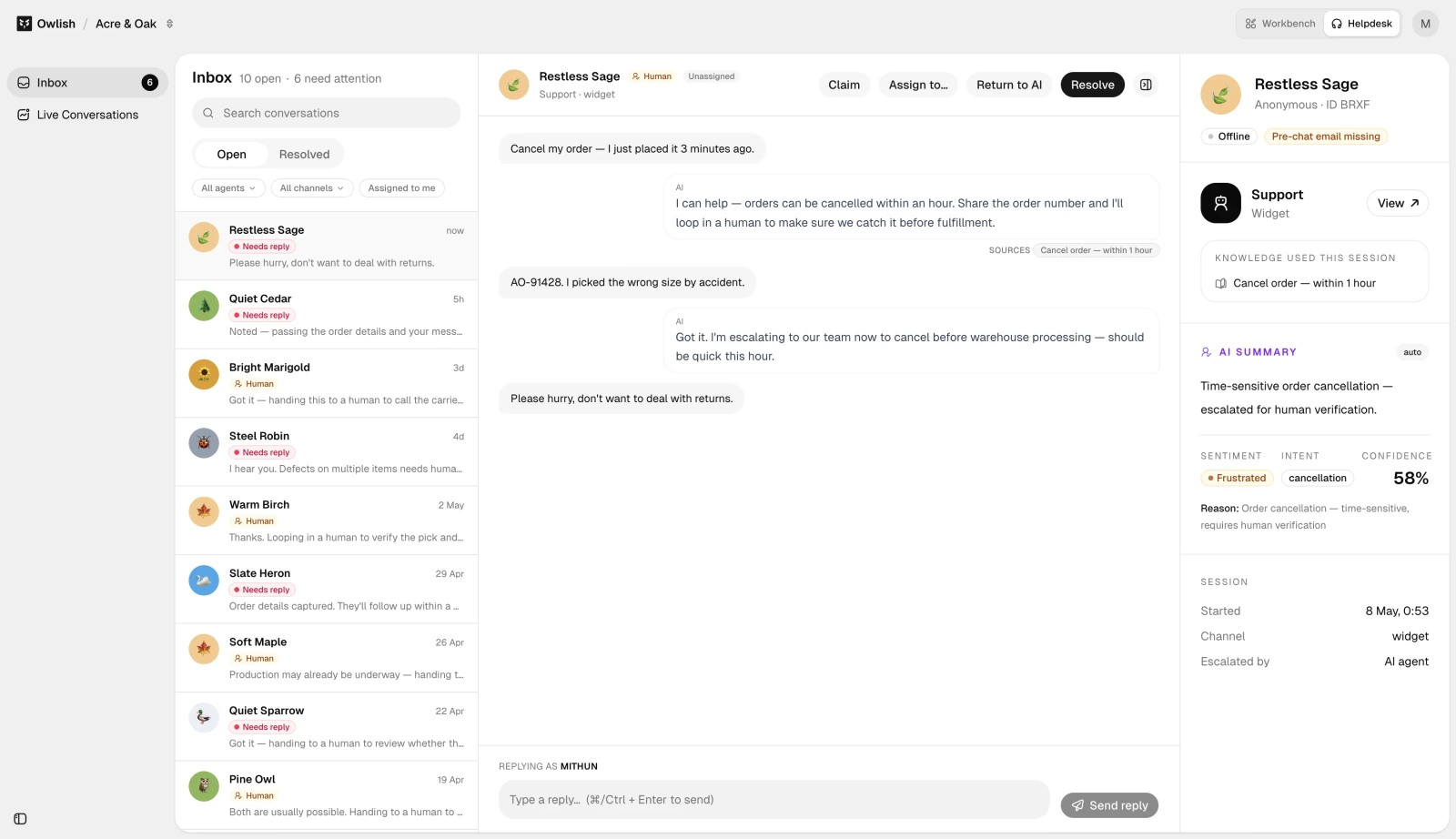
Pricing: Free includes one agent and 25 chat sessions per month. Starter is $49/mo monthly or $39/mo billed annually; Growth is $149/$119; Scale is $449/$359, with roughly 20% savings on annual plans. A session includes the conversation’s back-and-forth until expiry. Paid plans can add capacity; additional sessions are $29 per 100. See Owlish pricing.
Features: Knowledge ingestion, configurable personality and skills, source citations, a web widget, conversation review and analytics. Growth adds human handoff, the shared inbox, API access, and channels including email, Slack, Teams and messaging apps. See the knowledge base overview, citations guide and human handoff guide.
Best for: Small and growing teams that want support grounded in their own content and one place for people to pick up the conversations that need them.
One limitation: Human handoff and the shared inbox require Growth or Scale. Free and Starter focus on automated web support, and all plans have session and knowledge-capacity limits.
2. Fin: AI support across channels and existing helpdesks
Fin can run with Intercom or alongside an existing supported helpdesk. Its connected actions and Procedures are relevant when a support request needs several steps, an external lookup or a controlled change to an account.
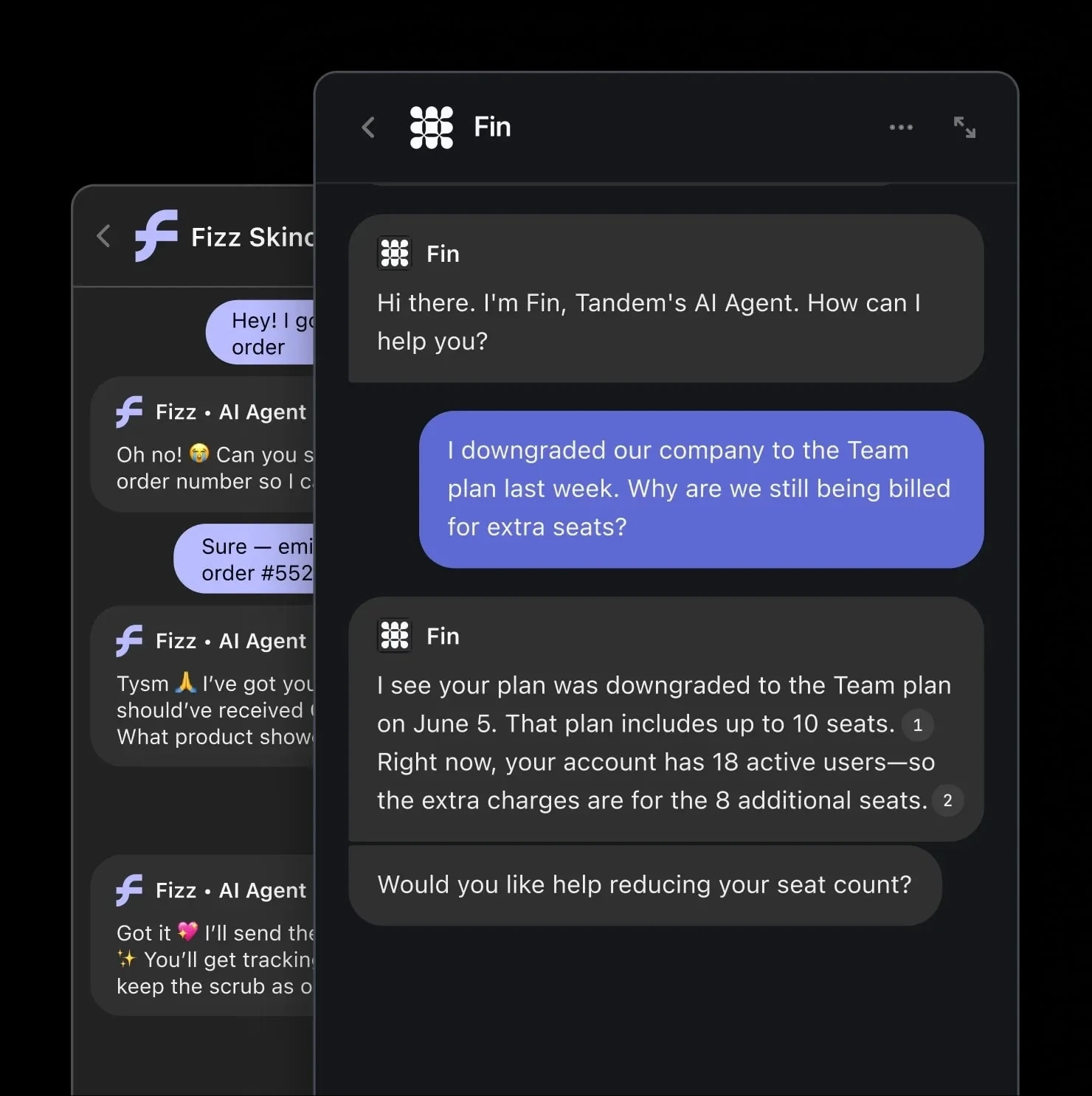
Pricing: Intercom Essential costs $39/seat/mo monthly or $29 annually; Advanced $99/$85; Expert $139/$132. Fin service outcomes add $0.99 each. Standalone Fin avoids Intercom seat charges, with minimum commitments to confirm. Some channels and add-ons have separate usage fees. See plans explained.
Features: Public and private knowledge sources, connected data, Procedures, simulations, and deployment across chat, email, voice and messaging channels. Fin documents source references and handoff with conversation context, although private uploaded documents do not expose public source links. See content sources and channels.
Best for: Teams consolidating support in Intercom, or adding an AI agent to a supported helpdesk they want to keep.
One limitation: Budget seats, outcomes and channel usage together. A configured Procedure handoff can be a billable outcome, while an ordinary escalation may not be. Read the outcome definitions before modelling costs.
3. Zendesk AI: a natural fit for an existing Zendesk operation
Zendesk brings AI into its ticketing, routing and knowledge workflows. That makes it a practical short-list option when the team already manages support in Zendesk and wants to preserve those processes.
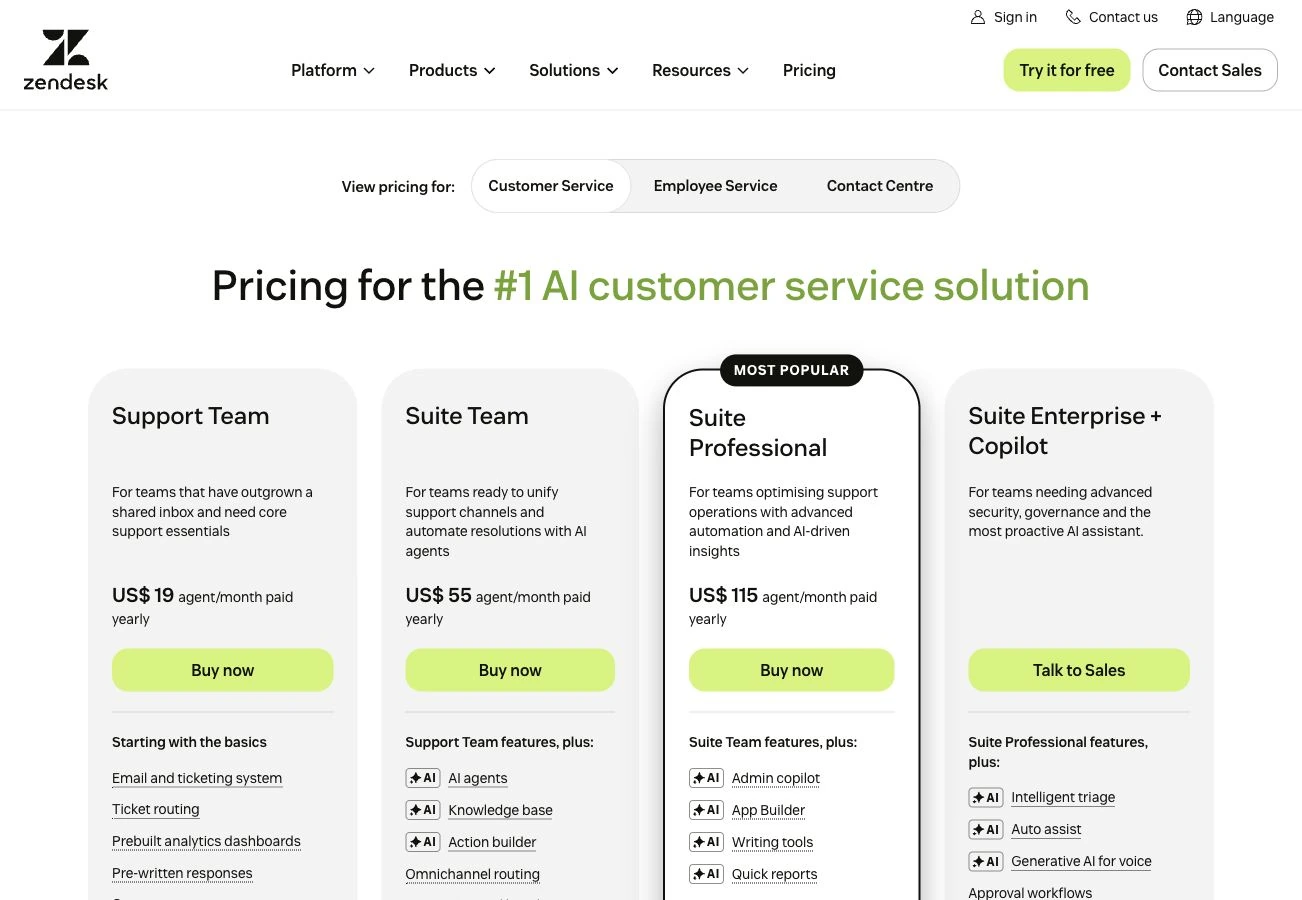
Pricing: The public page lists Support Team at $19/agent/mo, Suite Team at $55 and Suite Professional at $115, billed annually. Monthly contracts are available; confirm the current monthly quote because the page we checked displays annual rates. Zendesk says AI agents are included in Support and Suite plans, with usage charged through automated resolutions. See Zendesk pricing.
Features: Messaging, email and voice workflows, connected knowledge, configurable actions and escalation to people. Generative replies can show customer-facing source links when the setting is enabled. See AI agents and source-display settings.
Best for: Teams already using Zendesk’s help centre, ticket queues and routing, especially where AI and human support need to share an established workflow.
One limitation: Seat prices alone do not give the total AI cost. Resolution allowances, billing versions and optional capabilities matter; Zendesk’s resolution tiers distinguish verified resolutions from other outcomes. Get an allowance and usage quote for your account.
4. DevRev’s Customer Agent: AI support on your company’s shared memory
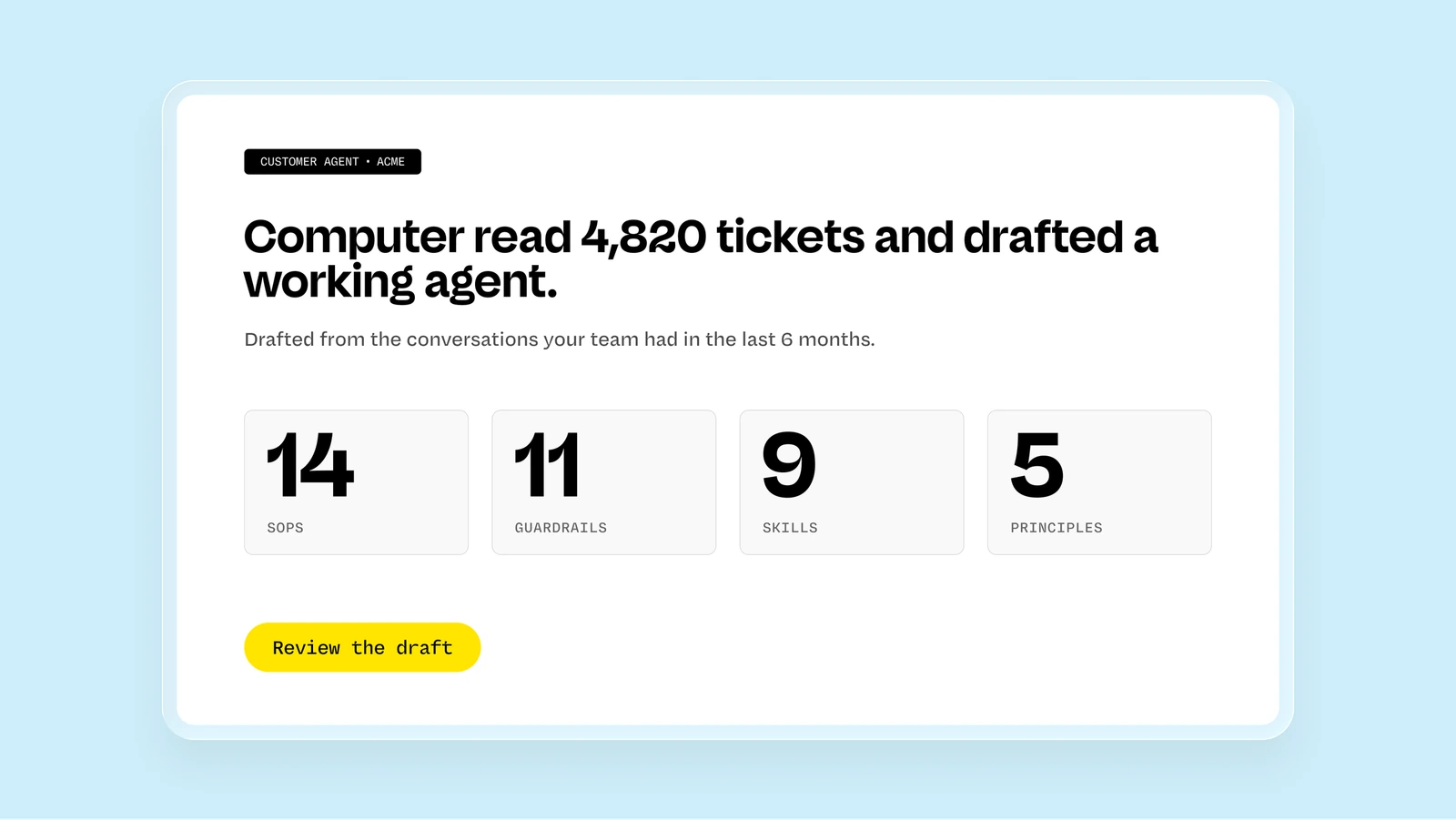
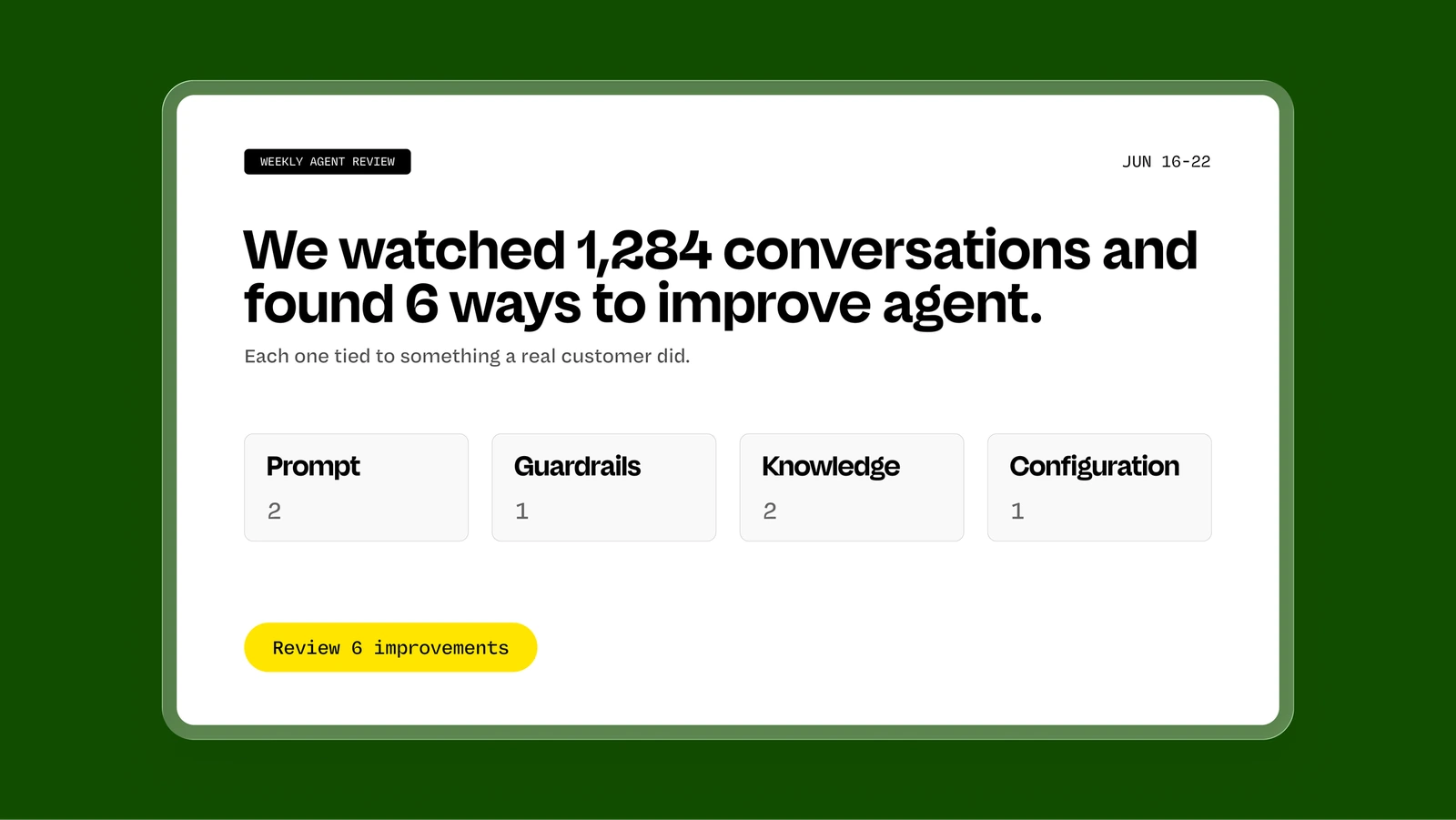
Customer Agent, part of Computer by DevRev, is a customer-facing AI agent that works from the company’s shared memory. DevRev says it can check the error logs in Datadog, pull an order from Shopify or replay a customer’s session, then resolve based on what it finds. See the customer agent use case page.
Pricing (checked September 2026): consumption-based, with no per-seat licensing (pricing explanation). The unit is a support conversation, one full session in which the agent handles a customer’s inquiry on its own, and each one draws a set number of credits. Credits can be bought upfront as packages, with discounted credits on a Pro or Max subscription. See DevRev pricing.
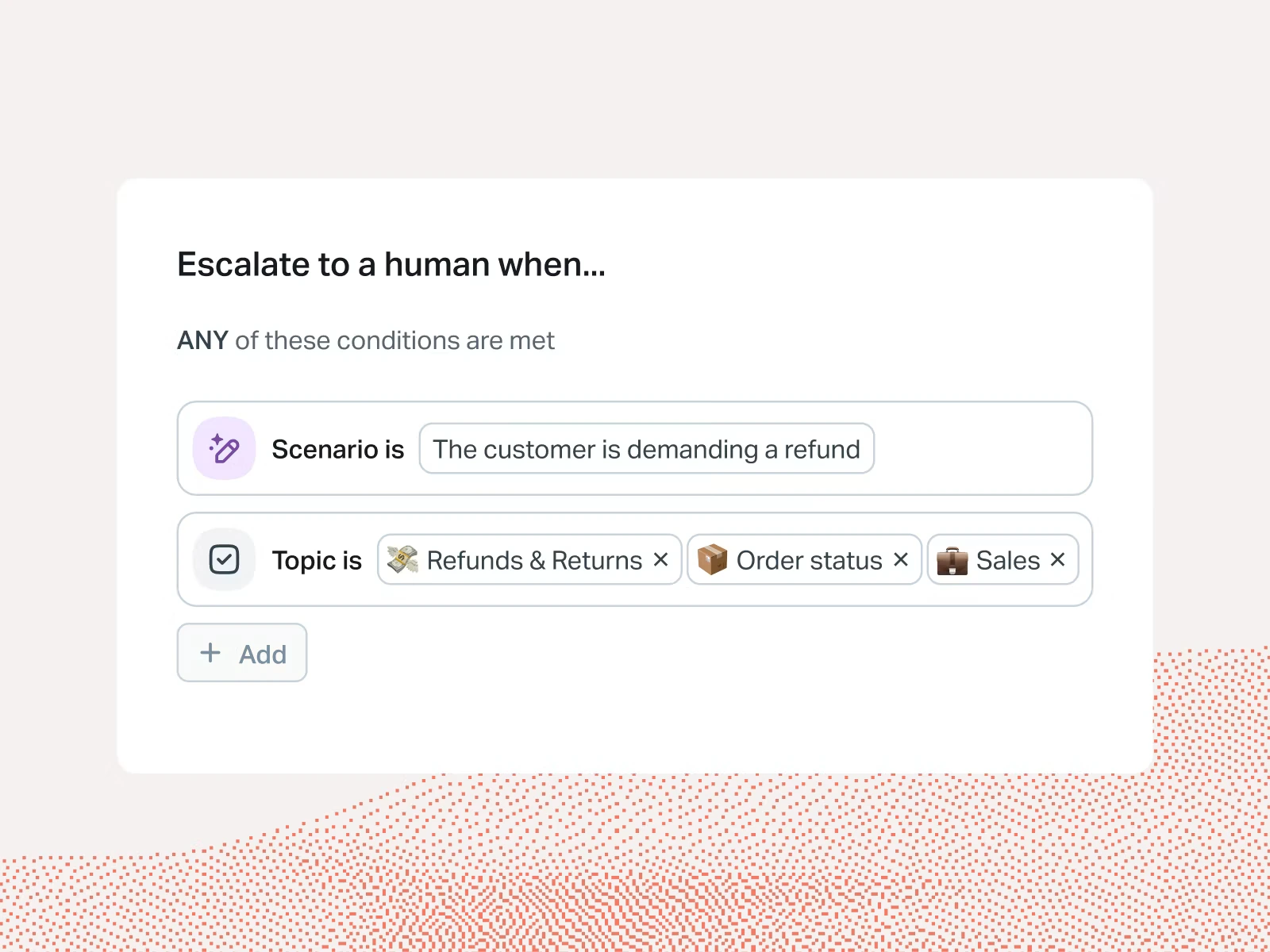
Features: chat, email, WhatsApp and voice, with the same agent and memory behind each. Knowledge-base search, ticket creation and human handoff with the full context intact. Computer by DevRev wires it to your systems to look up orders, process refunds and authenticate customers. A first draft is built from your past tickets and goes live only once you approve it, with guardrails for what it can say and do. There is a fast mode and a deeper reasoning mode, and a weekly review with suggested fixes.
Best for: support teams whose tickets need the AI to check systems such as logs, orders and sessions, and act on what it finds.
One limitation: usage is metered, so each support conversation the agent handles draws credits and the bill tracks how many conversations it handles. DevRev’s Customer Agent page describes visibility into every action the agent takes (checked September 2026) but doesn’t say whether customers see a source citation on answers.
5. Chatbase: configurable agents with actions and helpdesk options
Chatbase combines agent configuration, connected actions and a built-in Helpdesk on higher plans. It also connects to existing helpdesks, so teams can choose how much of the support workflow to move.
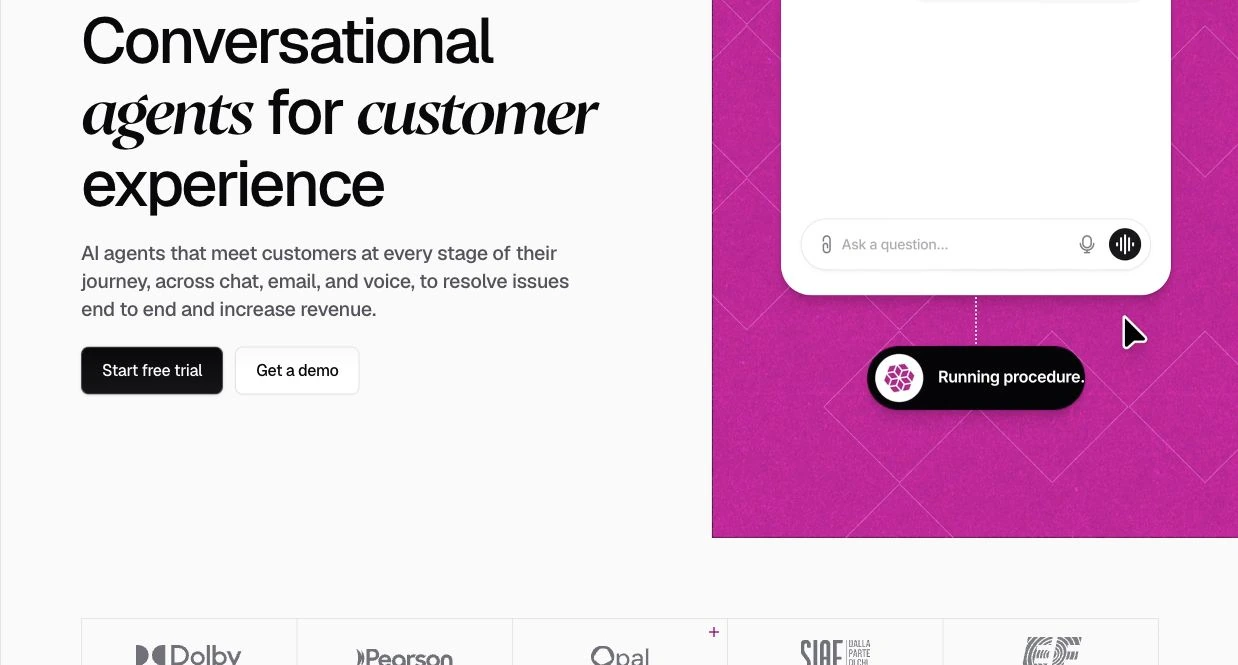
Pricing: Hobby is $40/mo monthly or $32/mo annually for 700 message credits. Standard is $150/$120 for 4,000 credits; Pro $500/$400 for 15,000. Free includes 50 credits. Built-in Helpdesk and voice begin on Standard. Extra credits, agents and branding removal are additional charges. See Chatbase pricing.
Features: Files, websites, Q&A, Notion and ticket sources; web, email, phone and messaging channels; actions and human escalation. Chatbase also documents end-user source links, including in its Arcadis customer example. See data sources and human escalation.
Best for: Teams that want control over agent instructions and actions, with the option of Chatbase’s own Helpdesk or an existing support system.
One limitation: Credits are not the same as conversations: model choice and usage affect consumption. Handoff details also vary by destination, so confirm whether your integration passes a transcript or a summary.
6. SiteGPT: support from your existing website and documents
SiteGPT focuses on answering from indexed content. It suits a website, help centre or SaaS product where most questions can be resolved with existing documentation and a clear route to a human.
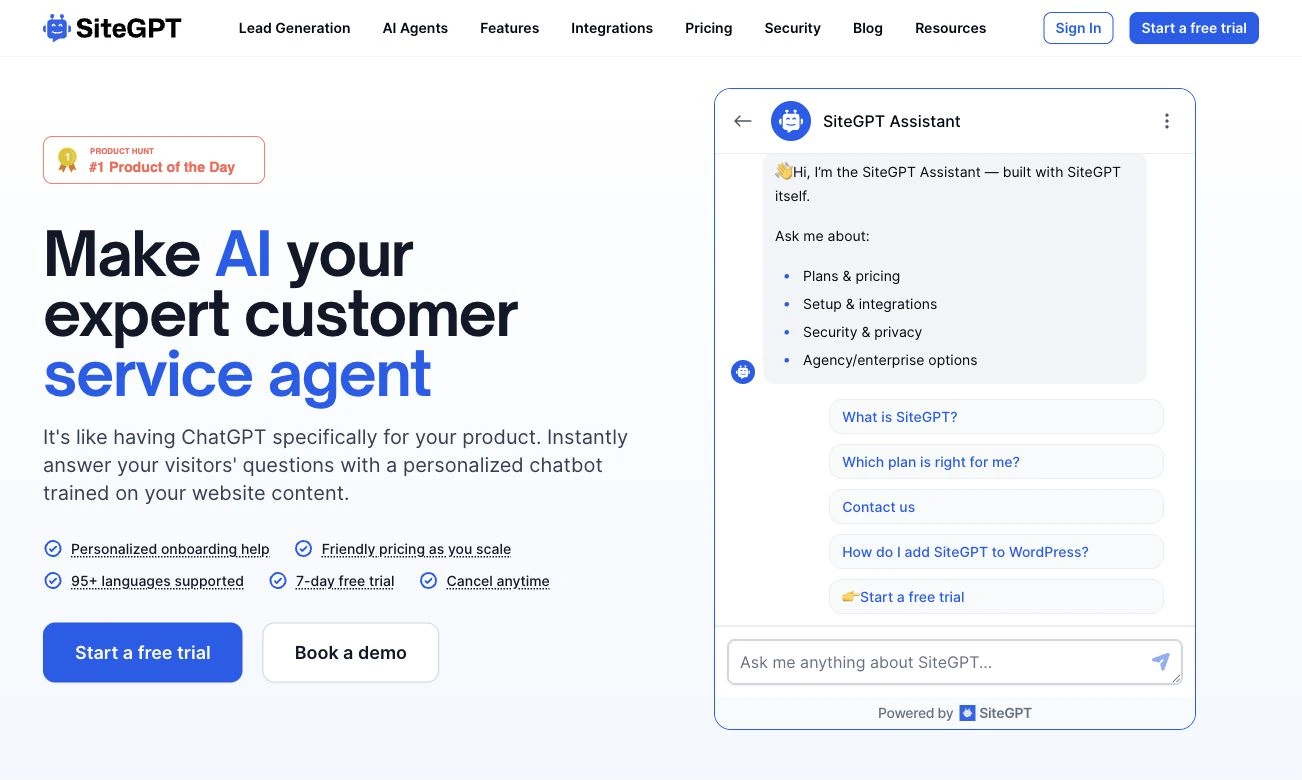
Pricing: Starter costs $59/mo monthly or $39/mo annually; Growth $129/$79; Scale $429/$259. Starter includes up to 4,000 GPT-4.1-mini messages or 400 GPT-4.1 messages, with usage depending on the model mix. There is a seven-day trial. WhatsApp and additional capacity are paid add-ons. See SiteGPT pricing.
Features: Website and file ingestion, Q&A, source links, conversation review and human takeover. Documented integrations include Slack, Messenger and several helpdesks. WhatsApp is available as an add-on; during human takeover the AI pauses. See handoff.
Best for: Small websites and SaaS teams whose support work is primarily explaining information that already exists in their content.
One limitation: SiteGPT’s product documentation explicitly says it cannot look up live orders, bookings, inventory or accounts in external systems. It can explain the process or link customers to the right page.
7. Tidio Lyro: AI alongside live chat and messaging
Lyro works with Tidio’s support tools; integrations with external helpdesks are offered through Premium. It combines content-based answers, actions and human handoff, making it worth considering for smaller retail and service teams.
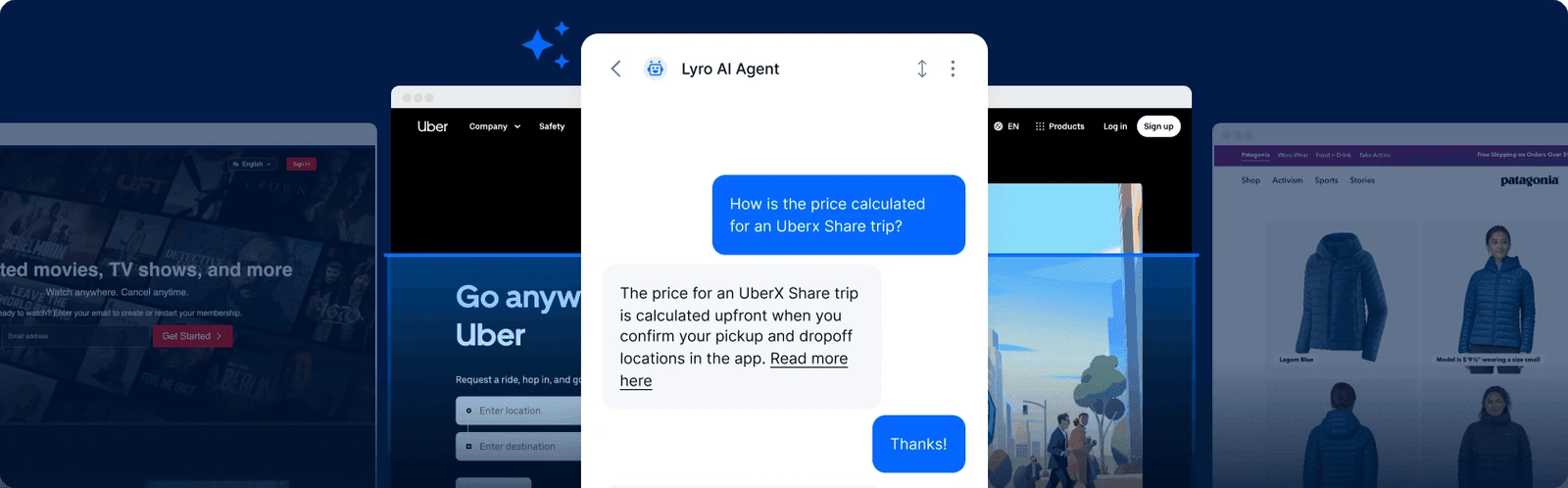
Pricing: Lyro starts at $39/mo monthly or $32.50/mo annually for 50 AI conversations. Tidio’s human-support Starter plan is $29/$24.17 and Growth starts at $59/$49.17. Plus starts at $300/mo plus usage. The initial 50 free Lyro conversations are a one-off trial allocation; paid Lyro quotas renew monthly. See pricing and Tidio’s monthly/annual breakdown.
Features: Website and document knowledge, customer-visible source links, product sync and actions such as external order lookups. Lyro supports web chat and social/messaging channels, with configurable handoff. See knowledge sources.
Best for: Smaller teams that want AI answers alongside live chat and messaging, with a path to human support.
One limitation: AI conversations and human-handled conversations have separate allowances. Lyro’s documented email behaviour also covers the first email; customer follow-ups in that thread require a live agent. Check the channel and quota details.
8. Gorgias: AI support with Shopify order context
Gorgias combines its Helpdesk and AI Agent around ecommerce. Connected store information lets the agent answer questions about an order and use configured actions, while staff keep the same customer context.
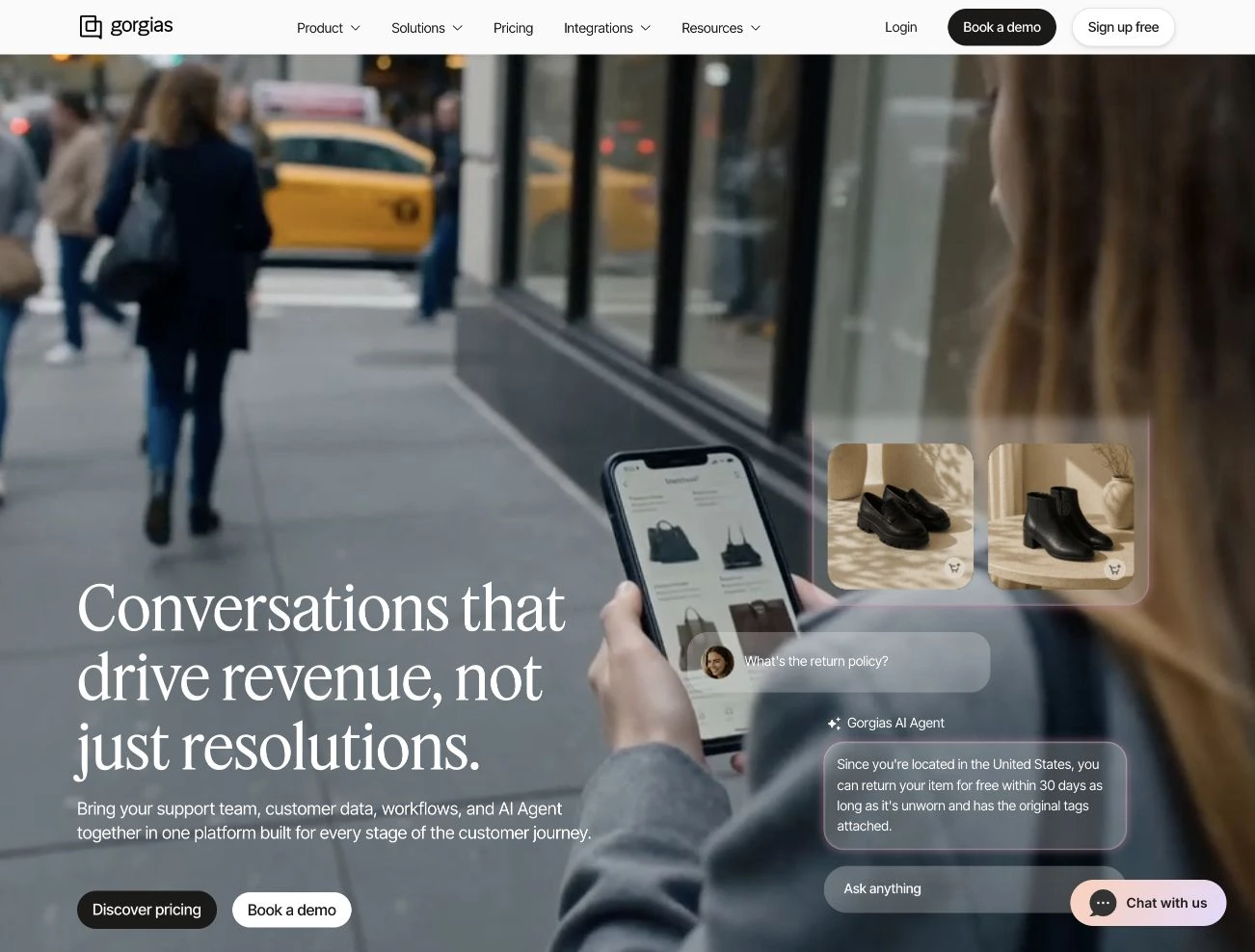
Pricing: With AI Agent enabled, the displayed Basic package is $90/mo monthly or $77/mo annually, including 300 helpdesk tickets and 30 automated interactions. Starter with AI is $40/mo, billed monthly only, with 50 tickets and 30 automated interactions. Helpdesk-only prices are lower, so check which configuration you are comparing. See Gorgias pricing.
Features: Shopify order, customer and product context; knowledge sources; configured actions; and handoff by topic or when the agent cannot complete the task. Documented AI channels include email, chat, SMS, Instagram DMs, Messenger and WhatsApp. See AI Agent setup.
Best for: Shopify brands that need AI support and shopping assistance connected to store data.
One limitation: AI Agent currently requires a connected Shopify store. Budget both helpdesk tickets and automated interactions: the billing guide says a fully automated resolution can count against both. Handover rules and legacy plans can change how a ticket is charged.
9. Help Scout Compass: AI self-service alongside a shared inbox
Help Scout now markets its customer-facing agent as Compass; its pricing page and help documentation still use AI Answers. It is a fit for teams that want customers to find answers in their website or app while keeping people readily available.
Pricing: Standard is $30/user/mo monthly or $25 annually; Plus $54/$45; Pro $90/$75. AI Answers adds $0.75 per resolution, with monthly spending caps and a three-month AI trial for new customers. After the trial, ongoing AI Answers requires a paid plan. See Help Scout pricing and AI billing.
Features: Knowledge from help centres, websites and custom sources, configurable exclusions, conversation review and handoff with context. Compass is available for website and in-app self-service. The broader helpdesk has additional channels, which should be checked separately from the autonomous agent. See the Compass product page.
Best for: Teams that want a shared inbox and knowledge base with optional AI self-service in their website or app.
One limitation: Compass’s current product page lists email, app connections and learning from past conversations as coming soon. Confirm availability if those are essential to your workflow.
How to test your short list
Choose two or three tools based on the work you need, then give each the same small set of support tasks.
- An ordinary question: Can it answer from your current policy and point to the right source?
- A missing answer: Does it acknowledge the gap and offer a useful next step?
- A customer-specific task: Can it look up or change the right record with the right permissions?
- A human request: Does the handoff preserve the transcript and stop conflicting AI replies?
- A changed policy: How do you update the source, and when does the new answer appear?
- A realistic month: Price your expected conversations, model usage, human seats and channels together.
Record the answer, source, action taken, handoff result and estimated cost. A polished demo is useful, but your own questions reveal whether the workflow fits.
Where Owlish fits
Short-list Owlish if your team wants to bring its knowledge, AI conversations and human handoff into one support workflow, starting with a free web workspace. Check the Growth requirement if operator support is essential.
For an established Zendesk or Intercom operation, first consider the AI that fits your existing queues and channels. For Shopify-heavy support, Gorgias is a useful specialist to evaluate. For simple documentation answers, SiteGPT may be sufficient. DevRev’s supplied entry describes a broader cross-system approach for investigations and actions.
Start with building your first Owlish agent, connect a useful knowledge source and run the same questions you use to evaluate the alternatives.
FAQ
What is the best AI chatbot for customer support?
The right choice depends on your sources, channels, actions and human-support workflow. Use the short-list table to choose by fit, then test answer quality and handoff against your own support cases. This guide does not establish a universal accuracy winner.
Which tool is cheapest?
Compare the full workflow you need. Owlish and Chatbase have small free allowances; SiteGPT offers a trial. Low entry prices can exclude a shared helpdesk, human seats or substantial AI usage. Included sessions, message credits and resolutions are different units, so use the same monthly workload when comparing quotes.
Do these tools show customers their sources?
Several do, with qualifications. Fin, Zendesk and Lyro document customer-facing source references. SiteGPT can link matching website pages; files and snippets do not get those links. Chatbase publishes customer examples with source links, and Owlish can display citations. Check source type, settings and channel rather than assuming every answer carries the same evidence. See Fin content rules, Zendesk source settings, and SiteGPT’s answer process.
Should I choose subscription or resolution pricing?
A subscription buys a defined allowance; resolution pricing ties part of the bill to an outcome the vendor defines. Both can work. Model your volume, escalation rate and peak months, then check caps, overages and what counts as a billable event. Do not assume a subscription means unlimited use or that every AI answer is a chargeable resolution.
Can these tools do more than answer FAQs?
Some support connected lookups and actions. DevRev, Fin, Chatbase, Lyro and Gorgias describe workflows that use external data or change records; Owlish supports configured skills. Availability depends on the integration, plan and permissions. SiteGPT’s documented boundary is content answers rather than live account or order lookups.
Sources and image credits
Official product, pricing and help sources are linked beside the claims above. Public pages and images were reviewed on 30 September 2026; vendor pages and commercial terms can change. DevRev supplied the two images in its section and the accompanying September copy. The other images are captures of public pages or product illustrations retrieved from those pages. The generated cover is an editorial illustration.
Product names and screenshots belong to their respective owners. Inclusion describes product fit and does not imply endorsement of Owlish by another vendor.