Multilingual AI Customer Support: How to Answer Customers in Any Language
A practical guide to multilingual AI customer support — the two architectures, why one knowledge base is enough, where translation breaks, and how to test answer quality language by language.
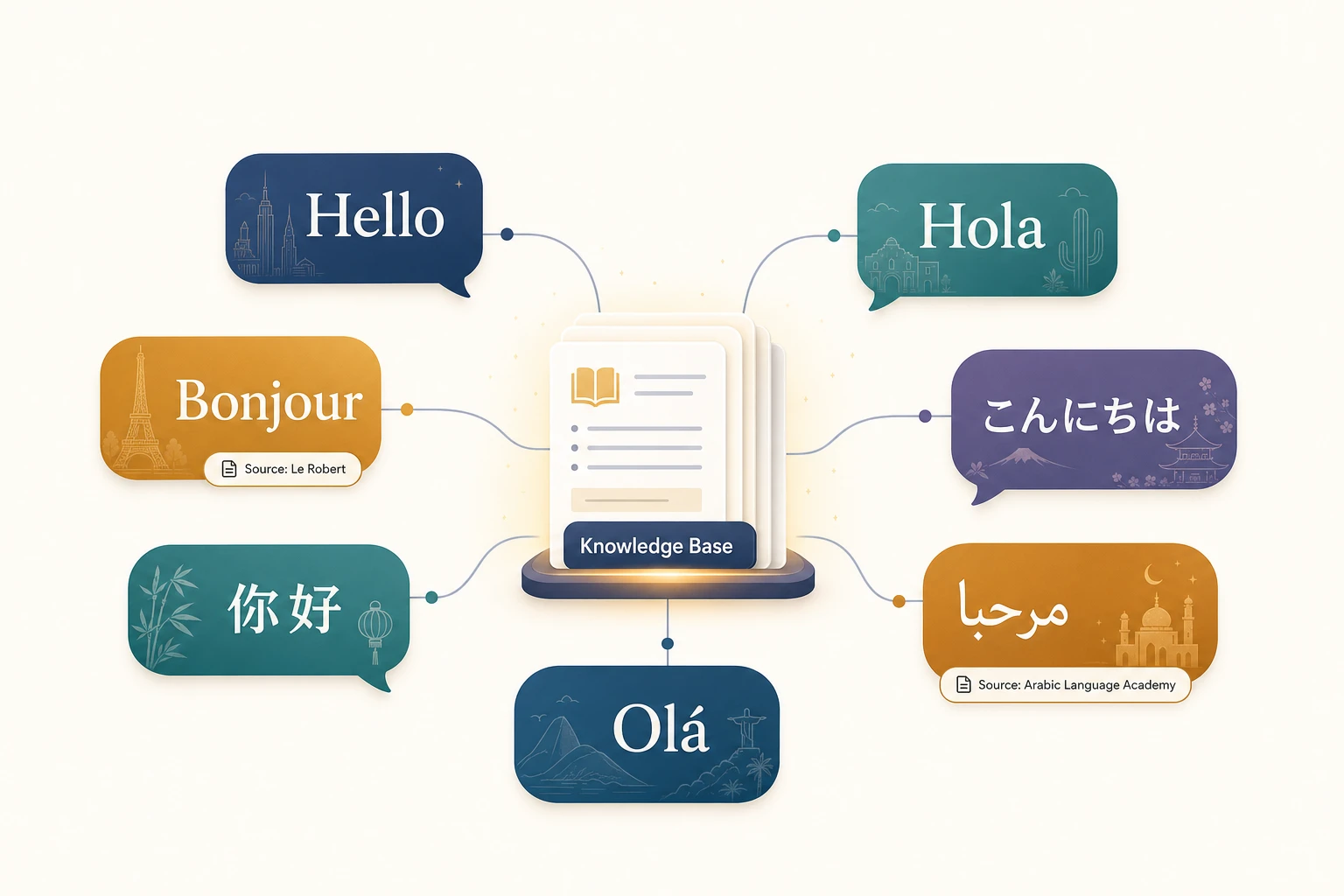
If you sell in more than one country, some of your customers are writing to support in a language your help center isn’t translated into — and they are getting worse answers for it. Modern AI support agents can close most of that gap without you translating a single article, but only if you understand what the AI is actually doing under the hood and where it quietly fails.
This is a practical guide to multilingual AI customer support: the two ways AI agents handle languages, why a single knowledge base is usually enough, the failure modes that don’t show up in a demo, and how to test quality language by language before you turn it on for real customers.
Owlish is our product, so I’ll show where it fits near the end. The first half applies whether you use Owlish, Intercom, Zendesk, or a custom build — the mechanics are the same.
Why multilingual support is a revenue problem, not a nice-to-have
The classic data point here is from CSA Research’s “Can’t Read, Won’t Buy” study (a survey of 8,709 consumers across 29 countries): 76% of online shoppers prefer to buy products with information in their native language, and 40% will never buy from websites in other languages. Most relevant for support teams, 75% said they are more likely to repurchase from a brand that offers customer service in their own language. (CSA Research) The behavior carries straight into support: a customer who can’t get a clear answer in their language is a customer who churns, refunds, or never converts in the first place.
Until recently the fix was expensive — hire native speakers per region, or translate your entire help center and keep every version in sync. AI changes the math, because a single agent backed by a multilingual model can answer in dozens of languages from one set of source documents. The leading vendors now treat this as table stakes: Intercom’s Fin agent, for example, advertises support for 45 languages and generates replies directly in the customer’s language rather than bolting on a separate translation step. (Intercom) That number is a useful yardstick when you evaluate any tool.
But “supports 45 languages” hides an important architectural choice, and it’s the first thing you should ask any vendor about.
The two architectures: translate-then-answer vs. reason-in-language
There are two fundamentally different ways an AI agent can handle a non-English question. They produce very different quality.
1. Translate-then-answer. The agent detects the customer’s language, machine-translates their message into English, runs its retrieval and reasoning in English, generates an English answer, then machine-translates that answer back. Three translation hops. Each hop can drop nuance, mangle a product name, or turn a precise policy into an approximate one. This is the older pattern, and it’s cheaper to build, but the customer feels the seams.
2. Reason-in-language. A modern multilingual model (Gemini, Claude, or GPT-class) reads the question in its original language, retrieves from your knowledge base, and writes the answer in that same language natively — no round-trip through English. The model “thinks” in the customer’s language. This is what current frontier models do well, and it’s why the output reads like it was written by a person rather than run through a translator.
When you evaluate a tool, ask directly: does the agent reason in the customer’s language, or translate to English and back? If the salesperson doesn’t know, that’s an answer too. The difference shows up most in languages with grammatical gender, formal/informal registers (German Sie vs. du, Japanese keigo), and right-to-left scripts like Arabic and Hebrew.
One knowledge base is usually enough
Here’s the part that surprises people: you generally do not need to translate your help center to support customers in other languages.
A reason-in-language agent can read your English source documents and answer a French or Japanese customer accurately, because the retrieval step matches on meaning, not exact words, and the generation step writes the final answer in the target language. You maintain one knowledge base, in your primary language, and the agent does the cross-lingual work per conversation.
This is the single biggest operational win of AI multilingual support, and it’s worth saying plainly: the cost of adding a language drops to roughly zero, because you’re not maintaining a parallel content set. Industry guidance has converged on the same advice — keep one authoritative knowledge base and let the model generate in any supported language, rather than fragmenting your content into versions that drift out of sync.
That said, “usually enough” is not “always enough.” Three cases justify a localized source:
- Legally binding wording. Refund terms, warranty language, and regulated disclosures sometimes need to be exact in the local language. A translated paraphrase isn’t good enough when a customer holds you to the wording. Keep an approved localized version of those specific documents and let the agent cite it.
- Region-specific facts. Shipping times, return addresses, local phone numbers, tax handling, and available payment methods differ by market. If your single KB only describes the home market, the agent will confidently give a customer in another country the wrong shipping window.
- Brand and product names that shouldn’t be translated. Make sure the agent knows your product names are proper nouns. Otherwise a model may “helpfully” translate a feature name and confuse the customer.
Where multilingual AI support quietly breaks
These are the failure modes that don’t appear in a clean demo with five English FAQ questions. Test for each one.
Mixed-language and code-switching
Real customers in multilingual markets write things like “Hola, my order #4821 hasn’t arrived, qué hago?” A naive language detector picks one language and answers in it, which can feel wrong either way. A good agent handles the mixed input gracefully and tends to answer in the dominant or most recently used language. Test with deliberately mixed messages, not just clean monolingual ones.
Citations that point at source-language documents
If your answer is in Portuguese but the cited source page is in English, decide what the customer should see. The honest approach is to keep the citation pointing at the real source (the customer can verify it) while making clear the answer was generated for them. Don’t fake a translated source that doesn’t exist. For operators reviewing transcripts, a citation that points at the actual source document is what makes a wrong answer fixable — you edit the one source, and the agent stops being wrong in every language at once.
Low-resource languages
Frontier models are excellent in widely spoken languages and noticeably weaker in low-resource ones. A model that’s flawless in Spanish and German may be shaky in, say, Swahili or Tagalog. Don’t assume uniform quality across the language list. Test your actual top languages by volume, and set a higher bar for handoff in the weaker ones.
Tone and formality
Many languages encode social distance grammatically. An agent that’s perfectly polite in English can land as rude or weirdly casual in Japanese or Korean if it ignores register. If your brand voice matters, write that expectation into the agent’s instructions — for example, “in Japanese, use polite desu/masu form” — and verify it in testing.
Right-to-left rendering
Arabic, Hebrew, Farsi, and Urdu render right-to-left. The model usually produces correct text, but your chat widget has to display it correctly too. Check that bubbles, punctuation, and any embedded links render properly in RTL, not just that the words are right.
A setup checklist for multilingual AI support
- List your real top languages by support volume — not every language you theoretically sell in. Optimize for the five that matter, not the fifty that don’t.
- Confirm the agent reasons in-language rather than translating to English and back.
- Keep one primary knowledge base, and add localized source documents only for legal wording and region-specific facts.
- Tell the agent your product names are proper nouns that should not be translated.
- Set register expectations for languages that need them (formal vs. informal).
- Define handoff per language — if you have no Japanese-speaking operator, decide what happens when a Japanese conversation needs a human.
- Test each top language with 15–20 real questions, including one mixed-language message and one question your KB doesn’t cover.
- Watch RTL rendering in the actual widget, not just the model output.
Handoff is harder across languages — plan for it
The hardest part of multilingual support isn’t the AI answering. It’s what happens when the AI shouldn’t answer and there’s no operator who speaks that language.
Be honest about your coverage. If you have native speakers for some languages and not others, your stop rules should reflect that. Options when no language-matched human is available:
- Hand off to an operator anyway, and let the human use the AI’s own translation help to communicate. A good handoff carries a summary the operator can read regardless of the original language — the same way Expedia uses AI-generated conversation summaries in more than 30 languages to give agents context during handoff.
- Offer an async path (email/ticket) and set an honest expectation, rather than promising an instant chat reply that no available human can give.
- Be transparent that a human is taking over, in the customer’s language.
What you should not do is let the agent keep guessing in a language just because there’s no human to escalate to. A missing operator is a staffing decision, not a reason to lower the bar on accuracy. The stop rules in any good handoff design — no source found, low confidence, sensitive request — apply in every language.
Measure quality per language, not in aggregate
A single blended CSAT or deflection number hides the problem. Your agent can look great overall while quietly failing every Italian customer. Break the key metrics out by language:
- Resolution / deflection rate per language — is one language dramatically lower?
- Handoff rate per language — a spike usually means thin KB coverage or weak model performance there.
- Repeat-contact rate per language — customers coming back about the same issue is the clearest sign of a wrong-but-confident answer.
- CSAT per language — even a rough thumbs-up/down, segmented, surfaces the weak spots.
If one language is an outlier, the cause is almost always one of two things: your knowledge base doesn’t cover that market’s specifics, or the model is weaker in that language. The first you fix by adding sources; the second you fix by setting an earlier handoff threshold.
Where Owlish fits
Owlish is built for teams that want AI support to answer from real sources, cite what it used, and hand over when the answer should stop — and that behavior carries across languages.
Concretely, the current product:
- Answers in the customer’s language by default. Owlish agents are backed by multilingual frontier models (Gemini, Claude, and GPT-class), so an agent reasons in the customer’s language and replies in it natively, grounded in your knowledge base. There’s no separate translate-to-English step.
- Works from a single knowledge base. Ingest your help center, websites, PDFs, DOCX, and other files once, in your primary language, and the agent answers cross-lingually from that one source set. Website source docs · File source docs
- Cites its sources. Citation chips point at the real source document behind each answer, so customers can verify and operators can fix the one bad source instead of guessing. Citations docs
- Hands off in any language. A request to “talk to a human” triggers handoff whether it’s written in English, Spanish, or Japanese, and the operator picks up the conversation with full context. Human handoff docs
- Takes tone instructions. You can tell the agent how to behave per language — formality, register, what never to translate — in its instructions. Tone and fallbacks docs
Owlish is honest about what it is not, today: there’s no dedicated AI voice/phone channel, no separate per-language analytics dashboard built into the product, and no UI that maintains parallel per-language knowledge bases for you. If your priority is multilingual voice support at contact-center scale, or you need granular per-language reporting out of the box, a larger CCaaS suite or a voice-first agent will fit better. For text-based web and chat support where you want grounded, cited answers in your customers’ languages from one knowledge base, Owlish is a strong fit.
FAQ
Do I need to translate my knowledge base to support other languages?
Usually no. A reason-in-language AI agent can read your primary-language sources and answer customers in their own language from that single knowledge base. Translate specific documents only for legally binding wording or region-specific facts (shipping, returns, payment methods).
How many languages can an AI support agent handle?
It depends on the underlying model. Frontier models handle dozens of languages well; leading vendors advertise around 45 supported languages. Quality is highest in widely spoken languages and weaker in low-resource ones, so test your actual top languages rather than trusting the headline count.
What’s the difference between translation and a multilingual AI agent?
Translation converts text from one language to another. A multilingual AI agent reasons and generates natively in the customer’s language, retrieving from your knowledge base directly — which avoids the nuance loss of translating the question to English, answering, and translating back.
How should handoff work when I don’t have an operator who speaks the customer’s language?
Decide in advance. Either route to a human who can use AI translation assistance, or offer an honest async path with a realistic time expectation. Don’t let the agent keep guessing in a language just because no human is available to take over.
How do I know if my multilingual AI support is actually working?
Measure per language, not in aggregate. Track resolution rate, handoff rate, repeat-contact rate, and CSAT broken out by language. A blended number can look healthy while one language quietly underperforms.
Start with your top two languages
You don’t need a fifty-language launch. Point an agent at your existing knowledge base, test it hard in your two highest-volume non-English languages — including mixed-language and not-covered questions — and watch the per-language metrics for a couple of weeks before you widen the rollout.
If you want to try that workflow in Owlish, start free, ingest one website source, enable citations in the widget, and ask it a question in a language your help center isn’t written in. You’ll know within a morning whether the answers feel native or translated. If you’d rather see it on your own knowledge base first, book 15 minutes.