AI Customer Support for SaaS: A Practical Setup Guide
How SaaS teams set up AI customer support that holds up: sorting tickets into four buckets, grounding answers in docs that stay current, and escalating trials and at-risk accounts before churn.
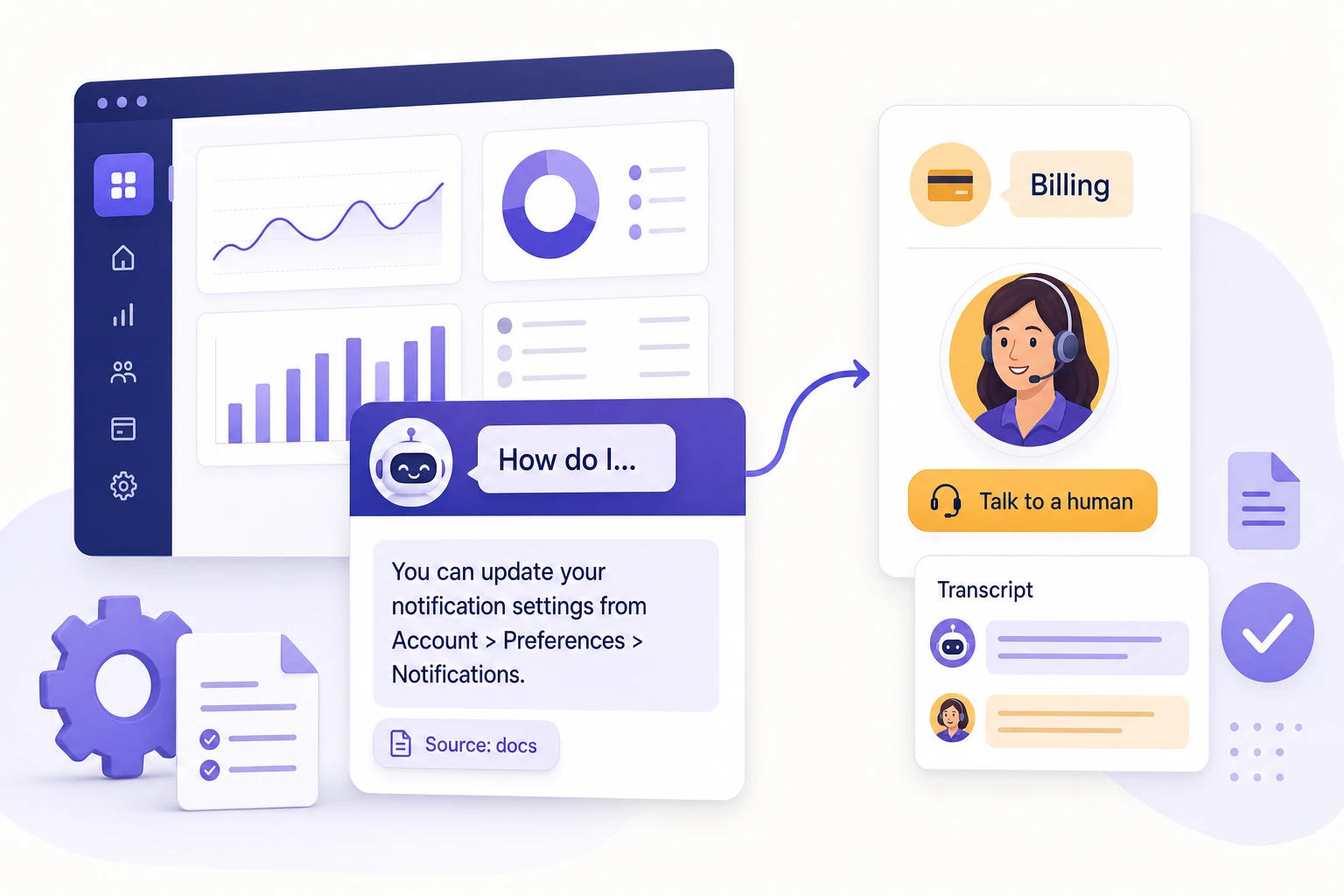
SaaS support has a split personality. Half your inbox is the same how-to questions answered in your own docs, and the other half is billing, bugs, and account changes that a wrong answer can turn into a churned customer. AI is good at the first half and dangerous in the second, so the whole job of setting it up well is drawing that line clearly and enforcing it.
This is a practical guide for SaaS teams putting an AI agent in front of their support queue. It is written for the founder or support lead who has read enough “AI resolves 80% of tickets” headlines and wants to know which 80%, what the other 20% costs if you get it wrong, and how to roll it out without surprising a paying customer at the worst moment.
Owlish is our product, so this is not neutral editorial. But the buckets, the escalation rules, and the measurement below hold whether you use Owlish or anything else.
SaaS support is different from generic support
A retail store gets “where is my order.” A restaurant gets “are you open.” SaaS gets a harder mix, and the difference matters for what you can safely automate.
Three things make SaaS support its own problem:
Your answers are version-sensitive. A shipping policy changes once a year. A SaaS product changes weekly: new settings, renamed buttons, deprecated endpoints, a pricing page that moved. An AI agent grounded in last quarter’s docs will confidently walk a customer through a screen that no longer exists. Freshness is not a nice-to-have here; it is the difference between a useful agent and a misinformation machine.
Your customers split into two populations with opposite stakes. People in a free trial are deciding whether to pay, and a slow or wrong answer costs you the conversion. People already paying are deciding whether to renew, and a frustrating support experience is one of the cheapest ways to lose them. The same question (“how do I export my data?”) can be a pre-sale objection or a churn signal depending on who is asking.
Some questions are genuinely technical. “Why is my webhook returning 401” is not deflectable with a help-center snippet. It needs logs, an account lookup, sometimes an engineer. Pretending an AI agent can close those tickets is how you end up with a bot that argues with a developer for four turns before giving up.
None of this means AI does not fit SaaS. It fits well. It just means the setup work is about routing, not just answering.
Step 1: Sort your tickets into four buckets
Before you automate anything, pull your last few hundred conversations and sort them. Not by product area, by what kind of answer they need. Most SaaS tickets fall into four buckets, and each one has a different correct owner.
- Answerable from content. How-to questions, “where is the setting for X,” “does your plan include Y,” “how do I invite a teammate.” The answer already exists in your docs or could. This is the bucket AI should own.
- Needs live account data. “Why was I charged twice,” “how many seats am I using,” “when does my trial end.” The answer depends on this customer’s record, which the agent cannot see unless you connect it to your billing or account API.
- A bug or incident. “The export is failing,” “the dashboard is blank since this morning.” These need investigation, reproduction, and often engineering. The right move is fast, well-documented escalation, not an attempt to resolve.
- Product feedback or a sales question. Feature requests, “do you have a roadmap for X,” enterprise procurement. These route to product or sales, and an AI agent’s job is to capture them cleanly, not to negotiate.
When you sort honestly, most SaaS teams find the first bucket is large, repetitive, and answerable, often cited across the industry as the 60–80% tier-one tail that AI can deflect (Zendesk’s CX research sits in that range). That is the prize. The other three buckets are where you set boundaries, not targets.
Step 2: Ground the agent in docs that actually stay current
Whatever you put in the answerable bucket, the agent should answer it from your real content and nothing else. “Grounded” means the model retrieves from your indexed sources and writes from what it found, instead of improvising from its training data. For SaaS, where the answer is specific and version-sensitive, this is non-negotiable.
The sources worth ingesting first:
- Your product documentation and help center. This is the spine of SaaS support.
- Your API reference and developer docs, if you sell to developers.
- Your changelog or release notes, so the agent knows what changed and when.
- Your pricing and plan pages, so plan-and-billing questions get the public answer right.
- A CSV of resolved tickets or saved replies, which captures phrasing your docs do not.
For the version and private-debugging boundaries that a technical reader needs, use our developer documentation chatbot guide alongside this broader SaaS workflow.
Two things separate a SaaS knowledge base that works from one that quietly rots.
First, citations on every answer. When the agent says “go to Settings → Integrations and click Add webhook,” it should show the doc page that claim came from. Citations do two jobs: the customer can click through to the full context, and your team can audit whether the agent is answering from current pages or stale ones. A grounded answer you cannot trace is just a guess with better grammar. Owlish puts an inline source on every reply for exactly this reason; see the citations docs.
Second, scheduled re-sync. A SaaS product changes faster than anyone updates the bot by hand. If your knowledge base is a one-time upload, it is wrong within a month. Point the agent at your live docs site and let it re-crawl on a schedule so renamed settings and new features flow in without a person remembering to do it. This is the setting that matters most for SaaS specifically, because your content moves and a stale answer about a UI that changed is worse than no answer.
If your docs are thin, fix that before you blame the agent. An AI agent grounded in a weak knowledge base produces weak answers. The ingestion step often surfaces gaps you did not know you had, which is itself useful.
Step 3: Decide what the agent must never answer alone
Some SaaS questions should never be resolved by an AI agent on its own, even if it could produce a plausible answer. Plausible is the problem. Write these rules down before launch.
Billing disputes and refunds. The agent can explain your refund policy from your docs. It should not decide whether this customer gets one, and it should never quote a specific charge it cannot verify against the live record. Route anything that touches money on a specific account to a human.
Security, compliance, and data questions. “Are you SOC 2 compliant,” “where is my data stored,” “can you sign a DPA.” Answer the documented facts from your trust or security page, with the source, and hand off anything that goes beyond what is published. A guessed compliance claim is a legal problem, not a support miss.
Anything during an incident. When the product is down, an AI agent confidently telling people it works is the worst possible behavior. Have a way to flip the agent into incident mode: acknowledge the issue, link the status page, and route to a human instead of troubleshooting.
The mechanism that makes all of this safe is refusal. A good agent says “I don’t have a verified answer for that, let me get a teammate” instead of filling the gap with something invented. Test refusal explicitly during setup: ask it things your docs do not cover and confirm it declines and escalates rather than improvising. An agent that never says “I don’t know” has not been configured, it has been unleashed.
Step 4: Set escalation rules for trials and at-risk accounts
This is the SaaS-specific step most teams skip, and it is where AI support quietly costs you revenue.
A general handoff rule (“escalate when the agent is unsure”) is necessary but not enough for SaaS, because not all customers are equal at the moment they ask. Layer two more triggers on top:
Trial users with buying-signal questions. When someone in a free trial asks about pricing, limits, security, or “can it do X,” that is a sales conversation wearing a support hat. The agent should answer the factual part from your content and offer a fast path to a human for the rest. Letting a bot be the only thing standing between a trial and a “talk to us” is a conversion leak.
Frustration and churn signals on paying accounts. Repeated rephrasings, “this is the third time I’ve asked,” cancellation language, anything mentioning a competitor. These should escalate immediately with full context, regardless of whether the agent technically had an answer. The cost of making an annoyed paying customer talk to a bot is measured in renewals.
When the handoff happens, what gets passed matters as much as the timing. The human should receive the full transcript, the sources the agent tried, and who the customer is, so the customer never has to re-explain. A handoff that drops context just moves the frustration to a person. Owlish routes the conversation to an operator with the transcript and citations attached; the human handoff docs cover the setup.
Step 5: Put the agent where SaaS users actually ask
SaaS support does not happen in one place. The same agent, grounded in the same knowledge, should show up across the surfaces your users already use, so you are not maintaining four different bots with four different answers.
- In-app and on your docs site. A web widget on your product and documentation catches questions at the moment of friction, which is where most how-to volume lives.
- Email. A large share of SaaS support is still email, especially for slower, detailed questions. An agent that drafts or sends grounded first responses takes the repetitive tier off your queue. Our AI email support guide explains how to decide which messages can auto-send and which must be reviewed or handed off.
- Community channels. Many SaaS products run a Slack community, where the same questions get asked daily. An agent that answers from your docs in the community channel saves your team from being the FAQ.
The point is consistency, not maximalism. One agent, one knowledge base, every surface, so a customer gets the same cited answer whether they ask in your app, in email, or in your community. Owlish runs a single agent across the web widget, Slack, Microsoft Teams, Google Chat, WhatsApp, and more; Discord is on the near-term roadmap rather than live today, so confirm a channel is available before you build a workflow around it.
Step 6: For developer products, use the API and an agent-readable surface
If you sell to developers, your support has an extra option most SaaS teams do not use. Your users live in their own tools, and increasingly so do their AI assistants.
Two surfaces matter here:
- A public API lets you embed grounded answering inside your own product. Instead of sending a developer to a separate help center, you surface the answer in your dashboard, your CLI’s error output, or your onboarding flow.
- An MCP server lets the developer’s own AI agent query your knowledge base directly. As more of your users debug with an AI assistant in their editor, a documentation surface their agent can read becomes a real support channel. This is early, but it is the direction developer support is moving.
For a developer-facing SaaS, this turns your knowledge base from a place people visit into a service your product and your users’ tools can call. Owlish exposes both a public API and an MCP server for this; API access starts on the Growth plan.
Where Owlish fits for a SaaS team
Owlish is an AI customer support platform built around grounded answers, citations, and clean human handoff, which maps closely to the SaaS buckets above.
It fits well when:
- Most of your answerable volume lives in docs, a help center, and release notes you can crawl, with PDFs and a resolved-ticket CSV to fill gaps.
- You want citations on every answer so technical replies are traceable and auditable, not just confident.
- You need the agent to refuse and hand off on billing, security, and incident questions rather than improvise.
- You want one agent across in-app, docs, email, and Slack, not a separate bot per surface.
- You sell to developers and want an API and MCP server, not just a chat bubble.
It is a weaker fit when:
- You need a full ticketing and CRM platform with deep SLA workflows, telephony, and account hierarchies. Owlish has a shared helpdesk inbox and handoff, but it is an answering-and-handoff layer, not a replacement for a heavyweight service desk.
- Your highest-volume questions all need live account data (usage, invoices, seat counts) and you are not ready to connect that data via the API. The agent can explain policy, but it cannot read a specific account it cannot see.
On pricing, the relevant detail for SaaS is the unit. Owlish bills by chat session on a flat monthly plan, not per resolved conversation, so your cost does not climb every time the agent succeeds. The Free plan runs the web widget; Starter is $49/mo monthly or $39/mo billed annually; Growth is $149/mo monthly or $119/mo billed annually and adds human handoff, the shared inbox, and API access; Scale is $449/mo monthly or $359/mo billed annually for higher volume and more channels. Compare that shape against per-resolution AI pricing, where a tool like Intercom’s Fin charges $0.99 per resolution; on a high-deflection SaaS queue the difference is the difference between a fixed cost and a bill that grows with your success. The pricing page has the full picture.
If your support is mostly heavy ticketing, account hierarchies, and telephony, a full service-desk suite is the better tool, and you should buy that instead.
What to measure after launch
Vanity numbers will tell you the rollout went great while customers quietly suffer. Measure the things that actually reflect SaaS support quality.
- Verified resolution, not deflection. A conversation where the customer got a correct answer and did not come back, not just one where no ticket was created. A timeout is not a deflection.
- Citation quality. What share of answers cite a source, and are the cited pages current. Falling citation coverage is your early warning that docs drifted out of sync.
- Unsupported-answer rate. How often the agent answered without grounding. This should be near zero for the buckets you automated.
- Escalation accuracy and timing. Did trials and at-risk accounts reach a human fast, and did the human get full context. Track handoffs that arrived with no transcript as defects.
- Trial-to-paid and renewal impact. The SaaS-specific one. If AI support is working, it should not dent conversion or retention; if either moves the wrong way, your escalation rules are too loose.
Review a sample of real transcripts every week for the first month. The metrics tell you what is happening; the transcripts tell you why. For a fuller scorecard, see our AI customer service metrics guide.
FAQ
Can AI customer support handle technical SaaS questions?
It depends on the question. How-to and configuration questions documented in your help center are a strong fit, and a grounded agent answers them well with a citation. Live debugging that needs logs or account data, and anything requiring a fix, should escalate to a human with full context rather than be resolved by the agent. The setup work is sorting which is which, not teaching the bot to do engineering.
How is AI support for SaaS different from a generic chatbot?
A generic chatbot follows scripted flows and improvises when it falls off the script. A grounded AI agent retrieves from your real docs, cites its sources, refuses when it has no verified answer, and hands off to a human cleanly. For SaaS, where answers are specific and version-sensitive, grounding and refusal are what keep it from confidently describing a feature that changed last week.
Should AI answer billing questions for SaaS customers?
It can explain your published billing and refund policy from your docs, with the source. It should not decide a refund, quote a specific charge it cannot verify, or resolve a billing dispute. Those depend on the customer’s live record and have real financial stakes, so route them to a human.
How do I keep an AI agent’s answers current as my product changes?
Point it at your live documentation and changelog and schedule a re-crawl so updates flow in automatically, instead of relying on a one-time upload that goes stale within a month. Then watch citation coverage: when answers stop citing current pages, your sources drifted and need attention.
What should a SaaS team measure to know AI support is working?
Verified resolution, citation coverage, unsupported-answer rate, escalation accuracy, and the effect on trial-to-paid conversion and renewals. Deflection rate alone hides timeouts and abandons, so treat it as a starting signal, not the scoreboard.
Sources
- Zendesk — AI customer service statistics
- Freshworks — SaaS customer support strategies for 2026
- Intercom — Fin and Intercom plans explained
- CX Today — what AI and automation can do for the contact center in 2026
- Owlish knowledge base overview
- Owlish citations docs
- Owlish human handoff docs
- Owlish developer overview
- Owlish pricing
Comparison context was gathered from public vendor pages in June 2026 and may change; check the linked pages for current details.
Trademark note
Zendesk, Intercom, Fin, Freshworks, Slack, Microsoft Teams, Google Chat, WhatsApp, and other product names mentioned here are trademarks or registered trademarks of their respective owners. Owlish is not affiliated with or endorsed by those companies unless explicitly stated.
Where to start with Owlish
If most of your support is how-to and plan questions your docs already answer, start by pointing an agent at your documentation, changelog, and pricing pages, turn on citations, and set escalation rules for trials and billing before you go live. The pricing page shows where human handoff and API access begin, and building your first agent walks through the setup. You will know within a week of real transcripts whether the agent behaves like part of your product or just another bot.