AI Customer Service for Small Business: Start Here
A practical AI customer service for small business rollout plan: pick one workflow, prepare trusted sources, test handoff, and expand safely.
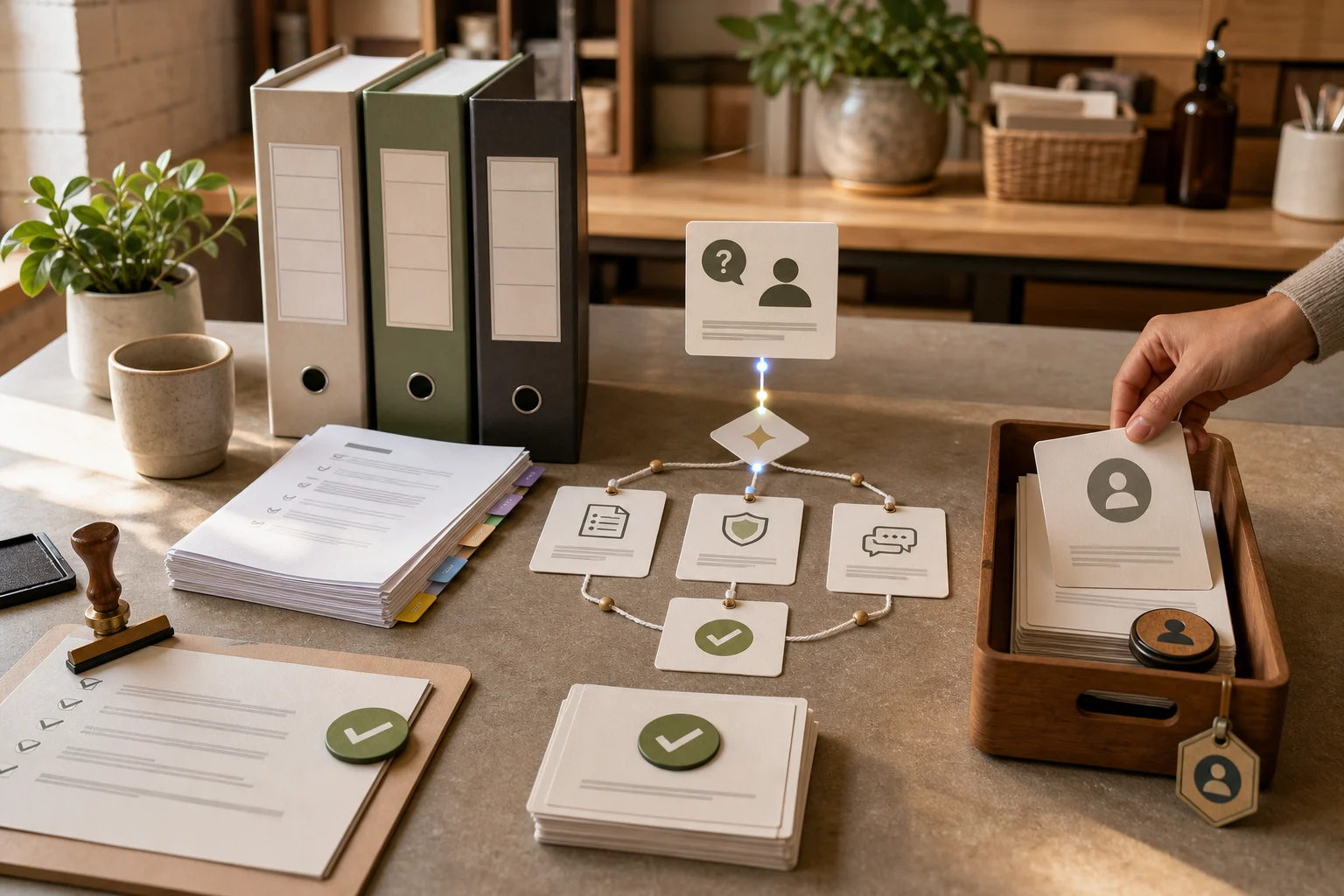
AI customer service for small business should start with one support workflow, not a company-wide automation plan. Pick repeated questions that already have trusted answers, prove the bot can cite sources and hand off, then expand.
This guide is for founders, owners, support leads, and operators who want practical customer support automation without buying an enterprise helpdesk suite on day one. The first half is tool-agnostic. The second half explains where Owlish fits, because Owlish is our product.
The timing is good, but the risk is real. Australia’s National AI Centre reported in May 2026 that 43% of Australian SMEs had some level of AI adoption across December 2025 to February 2026, while around 65% of non-adopting businesses cited distrust in AI decision-making or a preference to keep human control. It also found that 19% of SMEs did not know how to use AI in their business. AI.gov.au
That is the small-business AI problem in one sentence: useful enough to try, but not trusted enough to run without a clear operating model.
AI customer service for small business works best when the first job is narrow
The safest first support job is boring, frequent, and documented.
Good first jobs include:
- answering delivery, returns, warranty, pricing, booking, or setup questions from public pages
- helping customers find the right product or plan from documented criteria
- answering “how do I” questions from a help center or onboarding guide
- summarizing a support question before a human replies
- answering internal operator questions from a policy handbook
- collecting enough context for a human to take over quickly
Bad first jobs include:
- deciding refund exceptions
- changing subscriptions or orders
- handling account ownership disputes
- giving legal, medical, financial, or safety advice
- answering from private customer records without verified permissions
- replacing all human support because “the AI can handle it”
That difference matters. AI is good at turning trusted source material into fast answers. It is not a license to remove judgment from work where money, access, trust, or safety is on the line.
AI.gov.au’s planning guidance makes the same point in plain language: define the problem, the improvement you want, and how success will be measured before choosing a tool. It also warns that weak underlying processes can make AI introduce new risks instead of fixing the work. AI.gov.au
For small business support, the first problem should be specific:
Customers keep asking the same 25 questions on our website, and the answers already exist in our help center.
That is a good AI customer service starting point.
Do not choose a tool before you choose the support lane
Most teams jump straight to vendor shopping. That is backwards.
Before comparing Intercom, Zendesk, Chatbase, SiteGPT, HubSpot, Gorgias, Tidio, or Owlish, write down the first lane:
- Customer: website visitors, existing customers, employees, partners, or operators
- Channel: website chat, email, Slack, Microsoft Teams, Google Chat, social DM, or helpdesk inbox
- Source: website, help center, product docs, PDFs, policy files, FAQ entries, or internal handbook
- Allowed work: answer, draft, route, summarize, or hand off
- Stop rule: what the AI must not answer alone
- Human owner: who reviews answers and fixes sources
AI.gov.au’s solution guide separates AI options into built-in software features, standalone tools, integrations, and custom solutions. It also says the right option depends on the objective, budget, data, and level of risk the business is prepared to manage. AI.gov.au
That gives small teams a useful buying lens:
- If you already run a full helpdesk and want AI inside that system, products like Intercom or Zendesk may fit.
- If you want a content-trained website chatbot, tools like Chatbase, SiteGPT, or Owlish are closer to the job.
- If you need AI to update records, issue refunds, or use several back-office systems, start with a human-reviewed workflow before giving it action permissions.
- If the workflow is highly regulated or unusual, a custom build may be safer than a plug-in chatbot.
The point is not to find the biggest product. The point is to choose the simplest tool that can do the first job safely.
Build the source set before you build the bot
For AI customer service, “training the bot” usually means preparing retrieval sources, not fine-tuning a model.
Start with the sources customers already trust:
- public help-center articles
- shipping, returns, booking, or cancellation pages
- pricing and plan pages
- product setup docs
- PDF manuals or service guides
- short canonical FAQ answers
- internal support policies for operator-only use
Then remove the junk:
- duplicate policies
- old PDFs
- abandoned FAQ pages
- sales decks that were never meant for support
- internal notes that should not be customer-facing
- content with no owner
This is where many small-business AI projects fail. The owner sees a chatbot builder, uploads every document they can find, and assumes more context means better answers. It often means the opposite. The bot can retrieve the wrong policy, cite stale copy, or combine two conflicting docs into one confident answer.
The better rule is simple: if a human support rep would not be allowed to use a source in a customer reply, the AI should not use it either.
Anthropic’s May 2026 Claude for Small Business announcement is a useful market signal here. The package connects Claude to tools small businesses already use, but Anthropic also emphasizes that the human approves before work sends, posts, or pays, and says existing permissions still apply. Anthropic
That is a good operating principle even when you are not using Claude: connect AI to the work, but keep permission, approval, and source ownership explicit.
Start with answers, then add routing, then add actions
Small teams should roll out AI customer service in stages.
Stage 1: Answer from approved sources
The bot answers common questions using the website, help center, documents, and FAQ entries you approved.
Your scorecard:
- Did the answer match the source?
- Did the answer cite the right source?
- Did the answer say “I do not know” when the source was missing?
- Did the customer still need to contact support for the same question?
Stage 2: Route and collect context
The bot gathers details and routes the case to the right human when it should not answer alone.
Your scorecard:
- Did it ask for the right context?
- Did it hand off early enough?
- Did the human receive the transcript and reason for handoff?
- Did the customer avoid repeating the same story?
Stage 3: Draft for human review
The bot drafts replies, summaries, or internal notes, but a person still sends the final answer.
Your scorecard:
- Did the draft save time?
- Did the human need to correct policy, tone, or facts?
- Did the draft include source links?
- Did the review reveal source gaps?
Stage 4: Take low-risk actions
Only after the first three stages work should the bot take narrow actions, such as creating a ticket, tagging an inquiry, sending a standard link, or booking a callback.
Do not start with refunds, cancellations, plan changes, identity checks, or account-specific decisions. Those may become good AI workflows later, but only when permissions, logs, rollback, and human approval are clear.
Microsoft’s 2026 Work Trend Index is a useful reminder that AI value depends on the system around the worker, not only the individual tool. Microsoft surveyed 20,000 AI users across 10 countries and found organizational factors such as culture, manager support, and talent practices accounted for more than twice the reported AI impact of individual factors. Microsoft WorkLab
For a small support team, the “system” is the stage gate. Answer quality first. Routing second. Actions later.
The 30-day rollout plan
Use this if you want a practical first month.
Week 1: Choose the first workflow and source owner
Pull the last 50 to 100 support questions from chat, email, forms, phone notes, or social DMs.
Group them into buckets:
- answered by public docs
- answered by internal policy
- needs human judgment
- missing a source
- unsafe for automation
Pick one bucket that is frequent, low-risk, and documented. Name the source owner. If the source is weak, fix it before touching the bot.
Week 2: Build the source pack and test real questions
Create a small source pack:
- 5 to 15 public pages
- 3 to 10 FAQ answers
- any relevant PDF or setup doc
- a no-answer list
- handoff copy for when the bot stops
Test with real customer wording, including typos, vague questions, and follow-ups. Do not test only the clean questions from your FAQ page.
Week 3: Launch to a small surface
Start on one surface:
- a website widget on support and docs pages
- a private Slack or Teams channel for operators
- a low-risk contact page
- an internal pilot group
Do not launch on every page, every channel, and every customer segment at once.
Review transcripts daily. Label each failure as:
- missing source
- stale source
- wrong source retrieved
- answer went beyond the source
- handoff too late
- handoff missing context
- topic should stay human-only
Week 4: Fix the source, not just the prompt
After the first live week, resist the urge to solve every failure with a prompt tweak.
Most fixes should be source fixes:
- write a new FAQ entry
- split a long policy into shorter sections
- remove stale copy
- add a Direct Response-style canonical answer
- add a clearer stop rule
- move private operator-only content out of the customer-facing source set
Then decide whether to expand.
Good expansion signs:
- the bot cites sources correctly
- missing-source questions trigger refusal or handoff
- customers do not repeat the same issue immediately
- humans receive enough context during handoff
- source owners are actually fixing gaps
Bad expansion signs:
- the bot invents unsupported policy answers
- operators do not trust the citations
- handoff is hidden or late
- nobody reviews transcripts
- source fixes keep getting postponed
Handoff is part of the product, not a backup plan
The first question to ask any AI customer service vendor is not “How smart is the model?”
Ask: “What happens when the AI should stop?”
A good small-business handoff should include:
- the customer’s latest question
- the answer the AI already gave
- sources used, or the missing-source reason
- risk flags such as billing, cancellation, complaint, privacy, or security
- a short summary for the human
- a visible path for the customer to reach a person
Intercom’s May 2026 Operator announcement frames this as an operations problem. Intercom says Fin’s performance depends on the accuracy of help content, configuration quality, and understanding what is working and why. It also describes the work of keeping help content current and diagnosing wrong conversations. Intercom
Zendesk’s May 2026 Relate announcement points in the same direction from an enterprise angle: service AI is moving toward coordinated systems with knowledge, workflows, governance, quality scoring, and knowledge-gap improvement, not only deflection. Zendesk
Small businesses do not need every enterprise control on day one. They do need the habit: every failed answer should become a source fix, a stop rule, or a better handoff.
Website chat is usually the easiest first channel
For most small businesses, the website is the right first channel because the source and use case are visible:
- customers already ask product, booking, shipping, returns, pricing, and setup questions there
- public website and help-center sources are safer than private account data
- the bot can cite the page behind the answer
- the human handoff path can stay obvious
- you can expand page by page
Team chat can also be a good first channel if your problem is internal support.
Slack’s April 2026 agent announcement argues that agents should live where teams already work, and highlights agent discovery, governance, and structured agent experiences in Slack. Slack
That is useful for internal support, but it does not change the launch rule: pick one channel and one workflow first. A bot that answers every internal message badly will lose trust fast.
Where Owlish fits
Owlish is a good fit when your first AI customer service workflow is grounded support from websites, documents, PDFs, and short canonical answers.
Use Owlish when you want to:
- build a no-code customer support agent
- crawl a website or help center with allow and exclude patterns
- upload PDFs, DOCX, CSV, TXT, Markdown, and static HTML files
- add short Direct Response answers for repeated questions
- show citations in the web widget when citation display is enabled
- deploy the web widget on every plan
- add Slack, Microsoft Teams, and Google Chat on Growth and above
- use human handoff on Growth and Scale
Owlish is not the best first choice if you need a full enterprise contact center, native phone support, workforce management, a deep CRM migration, or autonomous high-risk account actions on day one. In those cases, start with your system of record or a human-reviewed workflow, then add grounded AI answers where the source and handoff model are clear.
If your first goal is a trustworthy website support agent for a small team, start narrower: add your website, add the docs customers already ask about, test the top questions, then turn every failed answer into a better source or a clearer handoff rule.
FAQ
What is AI customer service for small business?
AI customer service for small business is the use of AI to answer, route, summarize, or draft customer support work for a small team. The safest version answers from approved business sources, cites where the answer came from, and hands off to a human when the question needs judgment.
What should a small business automate first in customer support?
Automate repeated questions with written answers first. Shipping, returns, bookings, setup steps, plan limits, product details, and basic troubleshooting are usually better first candidates than refund exceptions, account ownership, billing disputes, or private customer data.
Can AI customer service replace a small business support team?
It can reduce repetitive work, but it should not replace human judgment. AI.gov.au describes AI as a task assistant rather than a staff replacement, especially where people still need to make decisions and interact with customers. AI.gov.au
How do I know if an AI support bot is safe to launch?
Test it with real questions before launch. It should cite the right source, refuse when no source exists, avoid sensitive topics, and pass context to a human when it stops. If it answers unsupported policy questions confidently, it is not ready.
Which channel should a small business start with?
Most teams should start with the website widget because public sources are easier to control and customer questions are visible. Internal Slack or Microsoft Teams can be a good first channel if the target workflow is employee or operator support.
What data should I not put into an AI customer service tool?
Do not upload private customer data, payment details, passwords, identity documents, confidential employee records, or internal notes unless the tool, permissions, purpose, and retention rules are clear. AI.gov.au recommends checking what data the AI collects or uses, where it is stored, whether it trains models, and who owns outputs before subscribing or building. AI.gov.au
Start small, then earn trust
Small businesses do not need a massive AI transformation plan to improve support. They need one well-scoped workflow, trusted sources, a visible human exit, and a weekly habit of fixing what the bot could not answer.
If that is the rollout you want, build your first Owlish agent, point it at one source pack, and test the questions customers already ask before you widen the rollout.